

Question 101
A technician is installing an optical drive in an engineering workstation that allows for optical media backups up to 128GB for each project. Which of the following doves should the technician install in the workstation?
Question 102
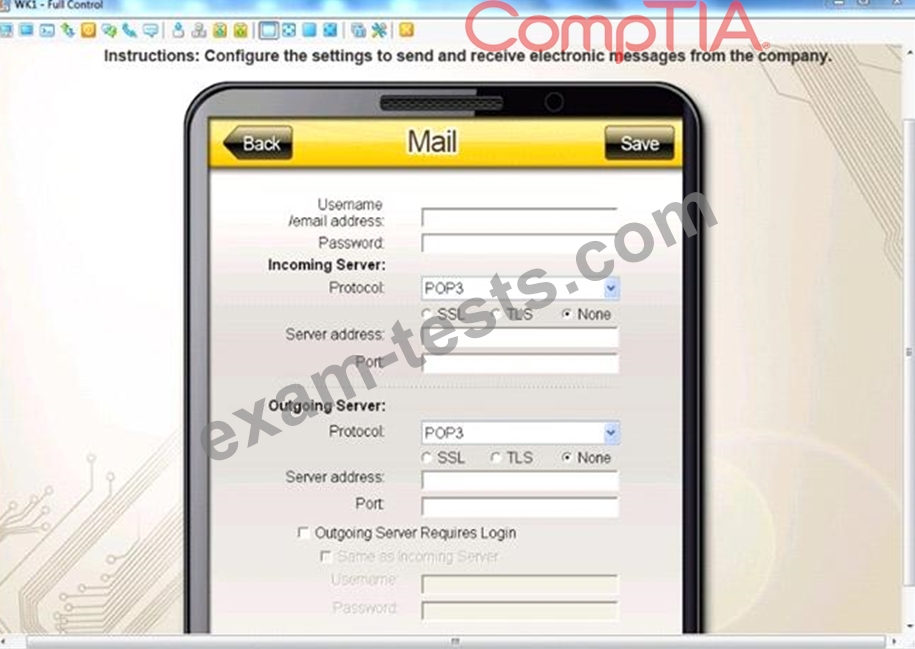
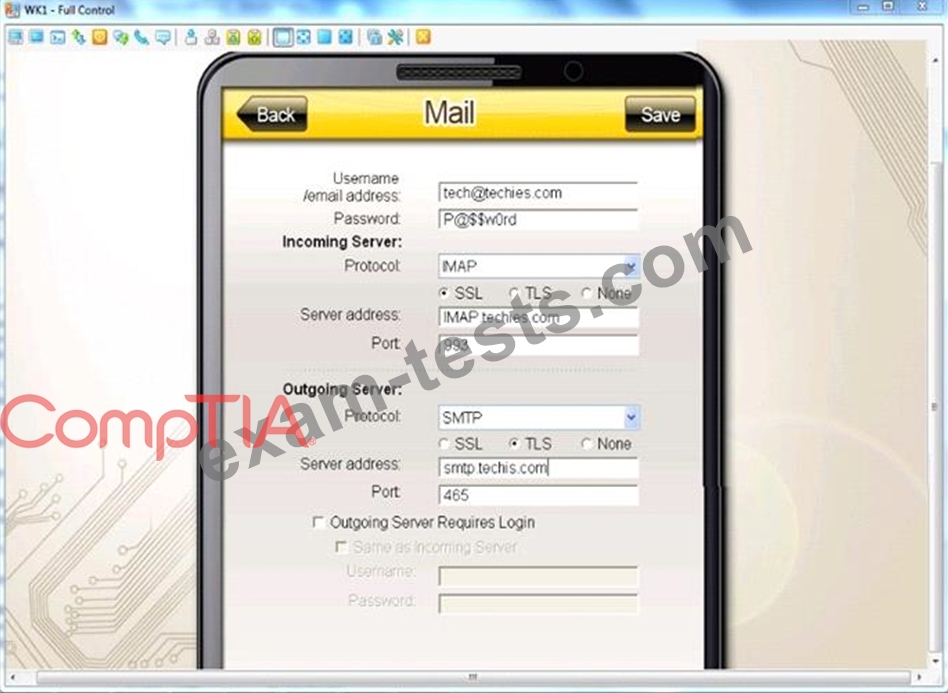
You need to configure your mobile device to send and receive electronic messages from your company.
You must use the company's WLAN as all e-mail services are on default non-secure ports.
The company's WLAN is broadcasting across the company for easier access.
Users must authenticate to the server with the same credentials in order to send and receive email.
Authentication should be enforced in the settings of the mobile device using the following parameters:
Username: [email protected]
Password: P@$$w0rd
Outgoing server: mail.techies.com
Incoming server: pop3.techies.com
Company SSID: Techies
Security Key: CA:FE:33:71:00
INSTRUCTIONS:
Update the mobile device's parameters to fit the criteria and support the strongest encryption available.
If at any time you would like to bring back the initial state of the simulation, please click the Reset All button.
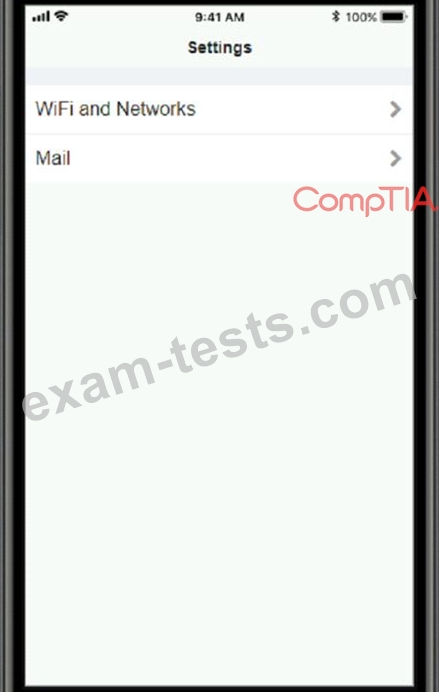
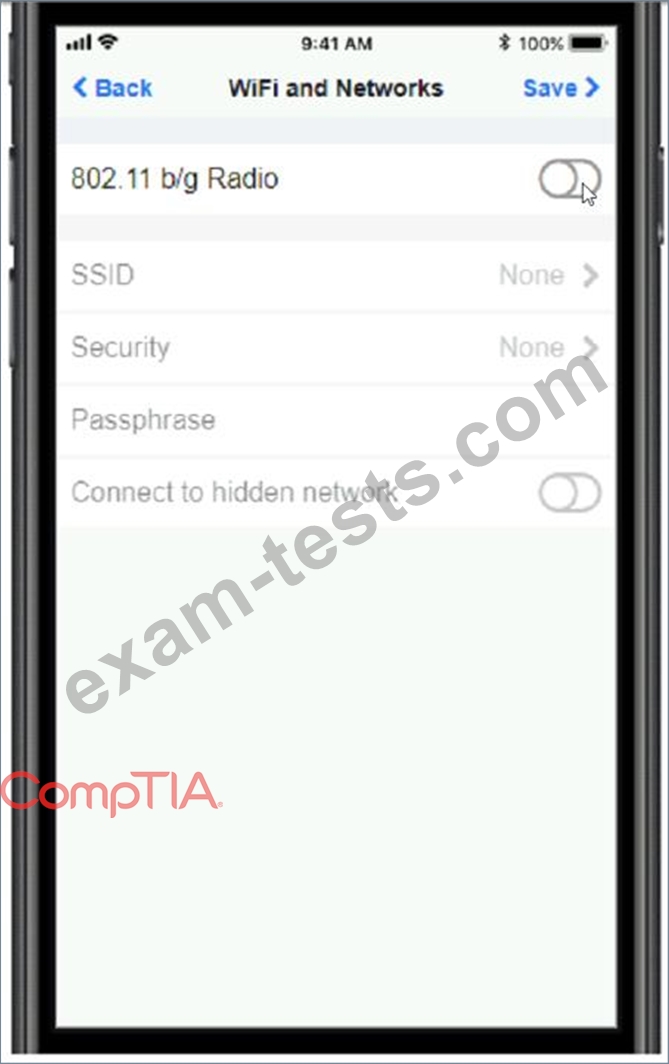
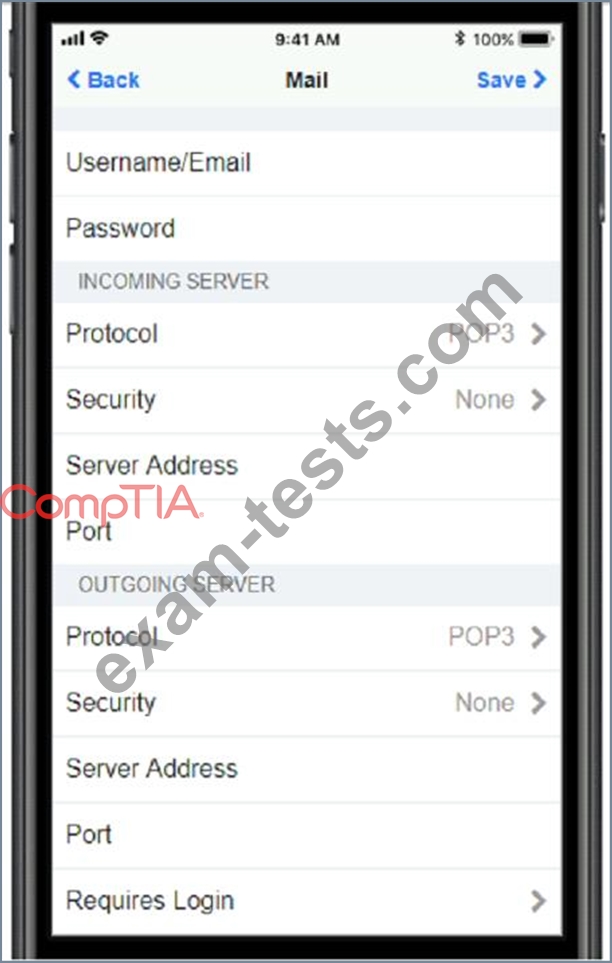
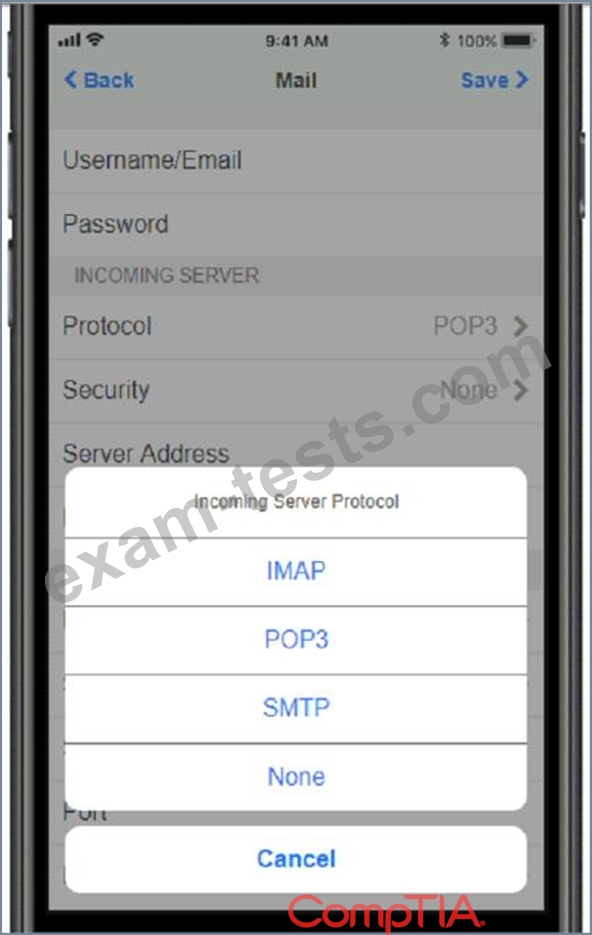
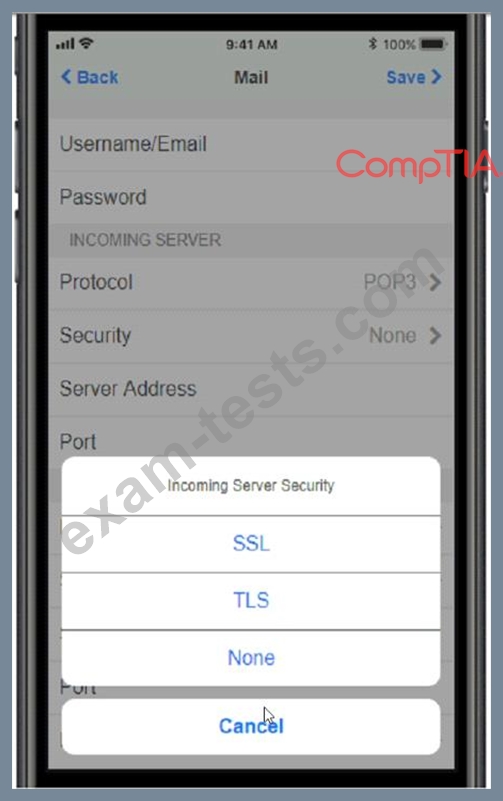

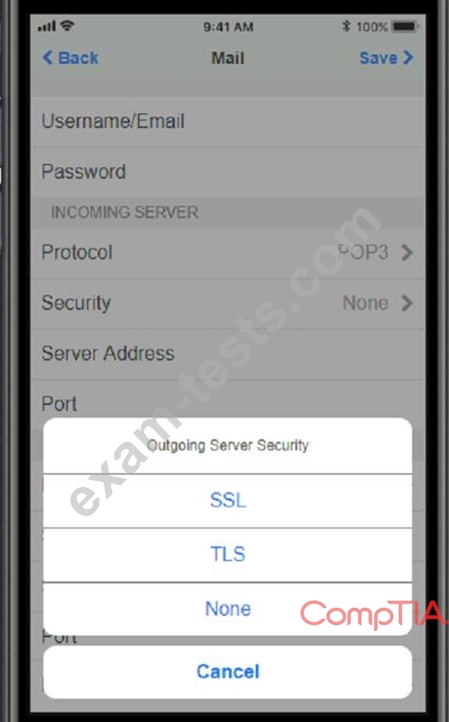
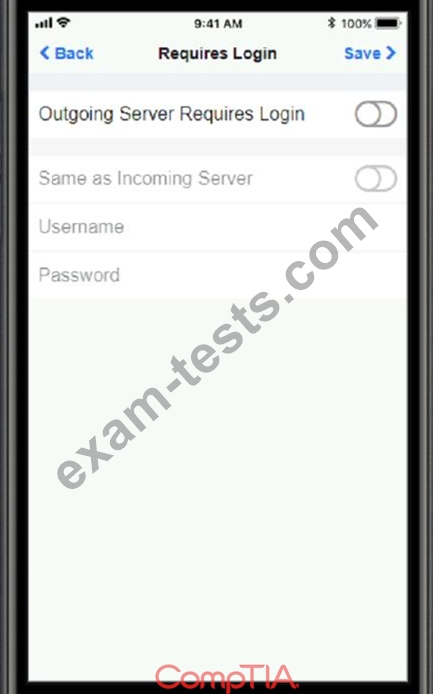
You must use the company's WLAN as all e-mail services are on default non-secure ports.
The company's WLAN is broadcasting across the company for easier access.
Users must authenticate to the server with the same credentials in order to send and receive email.
Authentication should be enforced in the settings of the mobile device using the following parameters:
Username: [email protected]
Password: P@$$w0rd
Outgoing server: mail.techies.com
Incoming server: pop3.techies.com
Company SSID: Techies
Security Key: CA:FE:33:71:00
INSTRUCTIONS:
Update the mobile device's parameters to fit the criteria and support the strongest encryption available.
If at any time you would like to bring back the initial state of the simulation, please click the Reset All button.

Question 103
A technician is troubleshooting a laptop/projector combination that is displaying artifacts on the screen. When a different laptop is connected to the projector, the image appears to be correct but is very dim.
Which of the following steps should the technician take to address these issues? (Choose two.)
Which of the following steps should the technician take to address these issues? (Choose two.)
Question 104
SIMULATION
Ann, a local librarian, has had a previously used wireless access point donated to her. She has instructed you to configure this new wireless access point for her public library. Ann plans to allow anyone to connect to the access point without having to ask her for configuration information.
Additionally, Ann knows that her neighbors have wireless network and wants to ensure that her network has the least likelihood of interfering with the other networks. Ann has provided you with the following information.
Wireless Name: Library
New Router Password: Secure$1
INSTRUCTIONS
Instructions: Select the Public Library in the diagram to configure the wireless network. Once the wireless network tabs are configured, select the save button. When you have completed the simulation, please, select the Done button to submit.
Configure Ann's wireless library network using the network adapter window.
If at any time you would like to bring back the initial state of the simulation, please click the Reset All button.


Ann, a local librarian, has had a previously used wireless access point donated to her. She has instructed you to configure this new wireless access point for her public library. Ann plans to allow anyone to connect to the access point without having to ask her for configuration information.
Additionally, Ann knows that her neighbors have wireless network and wants to ensure that her network has the least likelihood of interfering with the other networks. Ann has provided you with the following information.
Wireless Name: Library
New Router Password: Secure$1
INSTRUCTIONS
Instructions: Select the Public Library in the diagram to configure the wireless network. Once the wireless network tabs are configured, select the save button. When you have completed the simulation, please, select the Done button to submit.
Configure Ann's wireless library network using the network adapter window.
If at any time you would like to bring back the initial state of the simulation, please click the Reset All button.


Question 105
A technician finishes building a custom gaming computer When the system is turned on, however, all the fans spin and the LEDs light up on the motherboard, but the system does not POST and the monitor remains blank.
Which of the following did the technician fail to conned to the motherboard''
Which of the following did the technician fail to conned to the motherboard''