Question 21
A technician is setting up a new workstation. The technician wants to make sure the workstation will not load the OS if a portable hard drive is connected to it. Which of the following should the technician configure?
Question 22
A user is given a new tablet. When using the touch screen, the user reports the cursor highlights and selects items unintentionally. The issue does not happen when using an external mouse.
Which of the following should the technician do FIRST to resolve this issue?
Which of the following should the technician do FIRST to resolve this issue?
Question 23
The network administrator has changed the IP address of ComputerA from 192.168.1.20 to 10.10.10.20 and now Jane, a user, is unable to connect to file shares on ComputerA from ComputerB using the computer name.
INSTRUCTIONS
Using the available tools, resolve the connectivity issues.
After troubleshooting the issue, verify a successful connection.
If at any time you would like to bring back the initial state of the simulation? please click the Reset All button.

INSTRUCTIONS
Using the available tools, resolve the connectivity issues.
After troubleshooting the issue, verify a successful connection.
If at any time you would like to bring back the initial state of the simulation? please click the Reset All button.

Question 24
A developer is creating a new web application but does not want to be responsible for server or infrastructure maintenance Which of the following cloud models is MOST likely to be used by the developer?
Question 25
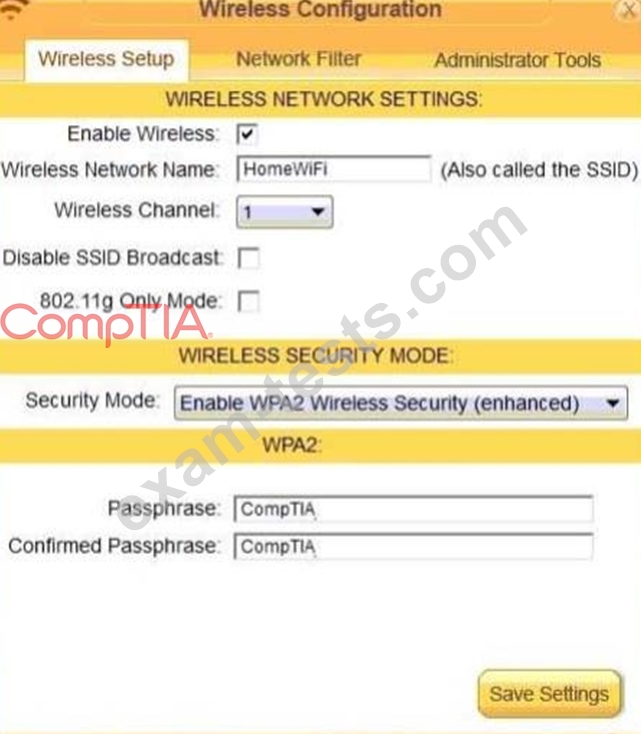
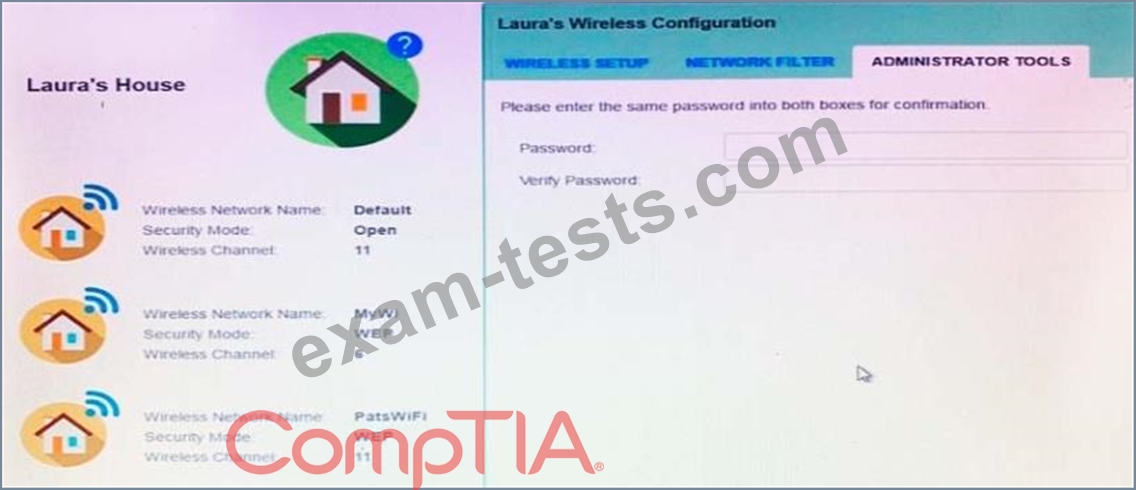
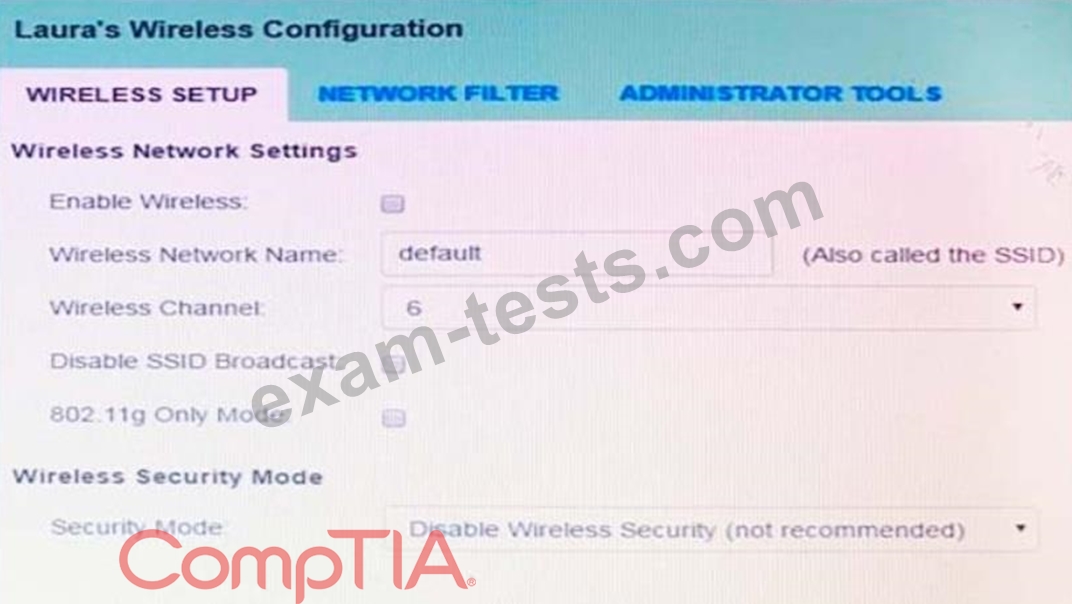
Laura, a customer, has instructed you to configure her home office wireless access point.
She plans to use the wireless network for finances and has requested that the network be setup with the highest encryption possible.
Additionally, Laura knows that her neighbors have wireless networks and wants to ensure that her network is not being interfered with by the other networks.
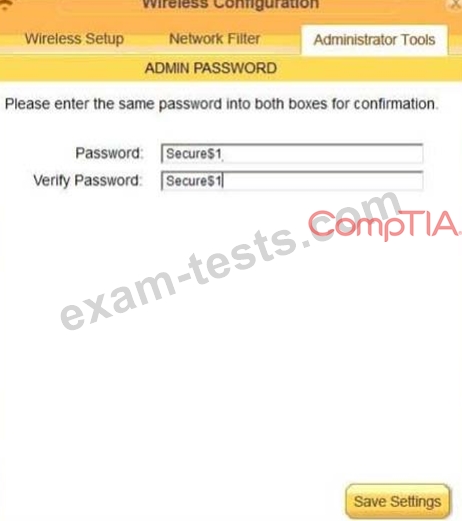
She requests that the default settings be changed to the following.
Wireless Name: HomeWiFi
Shared Key: CompTIA
Router Password: Secure$1
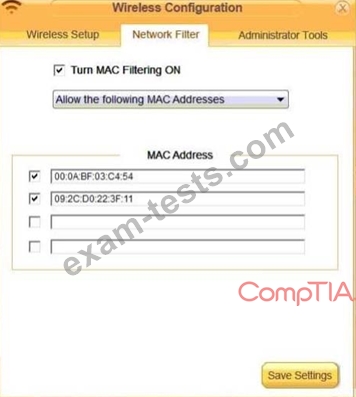
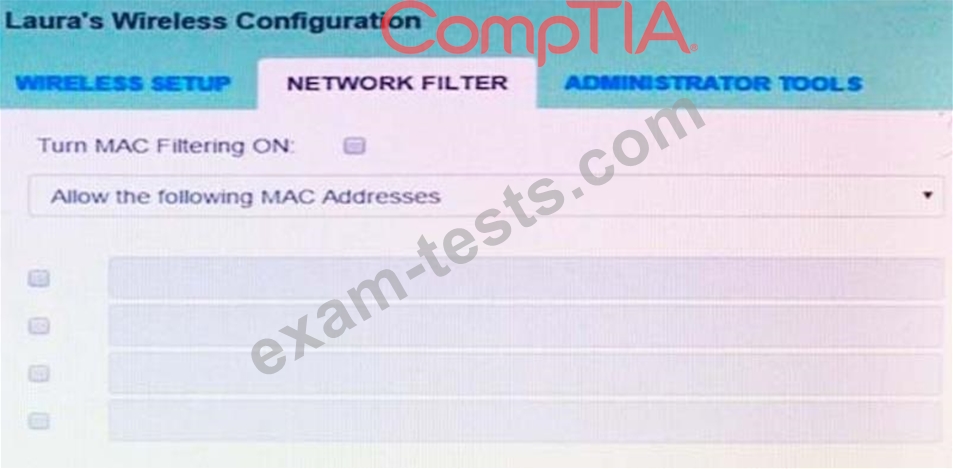
Finally, Laura wants to ensure that only her laptop and Smartphone can connect to the network.
Laptop: IP Address 192.168.1.100
Hardware Address: 00:0A:BF:03:C4:54
Smartphone: IP Address 192.168.1.101
Hardware Address: 09:2C:D0:22:3F:11
INSTRUCTIONS
Configure Laura's wireless network using the network adapter window.
If at any time you would like to bring back the initial state of the situation, please click the Reset All button.
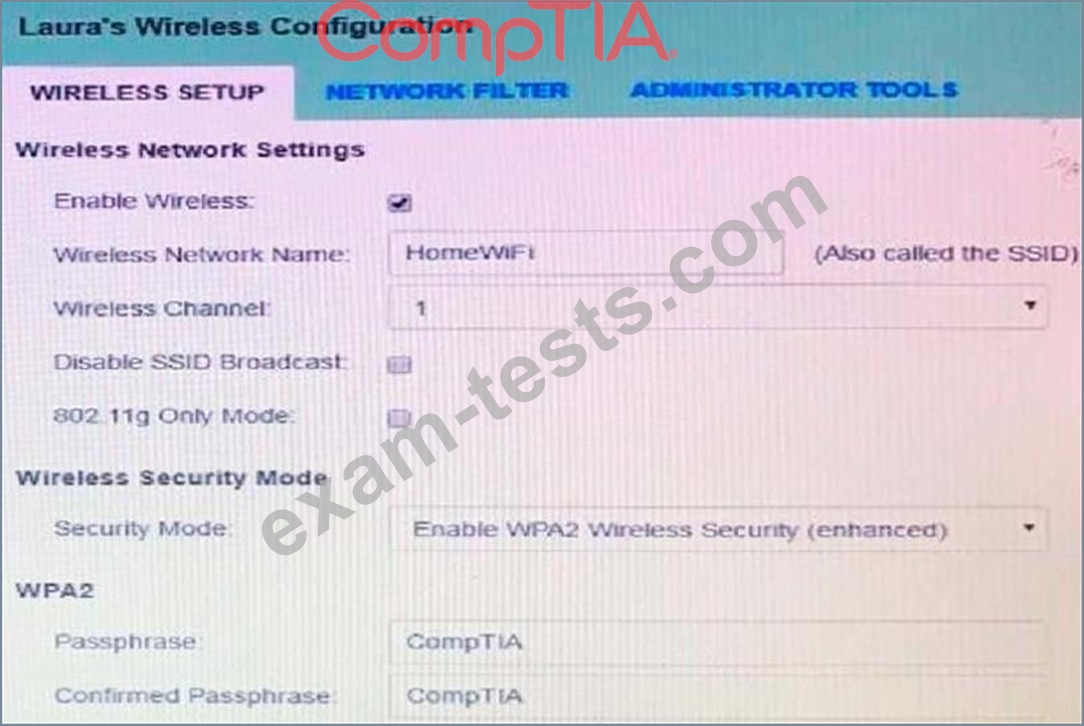
She plans to use the wireless network for finances and has requested that the network be setup with the highest encryption possible.
Additionally, Laura knows that her neighbors have wireless networks and wants to ensure that her network is not being interfered with by the other networks.
She requests that the default settings be changed to the following.
Wireless Name: HomeWiFi
Shared Key: CompTIA
Router Password: Secure$1
Finally, Laura wants to ensure that only her laptop and Smartphone can connect to the network.
Laptop: IP Address 192.168.1.100
Hardware Address: 00:0A:BF:03:C4:54
Smartphone: IP Address 192.168.1.101
Hardware Address: 09:2C:D0:22:3F:11
INSTRUCTIONS
Configure Laura's wireless network using the network adapter window.
If at any time you would like to bring back the initial state of the situation, please click the Reset All button.