Question 21
SIMULATION
You have a web app that connects to an Azure SQL Database named db1.
You need to configure db1 to send Query Store runtime statistics to Azure Log Analytics.
To complete this task, sign in to the Microsoft Azure portal.
You have a web app that connects to an Azure SQL Database named db1.
You need to configure db1 to send Query Store runtime statistics to Azure Log Analytics.
To complete this task, sign in to the Microsoft Azure portal.
Question 22
Note: This question is part of a series of questions that present the same scenario. Each question in the series contains a unique solution that might meet the stated goals. Some question sets might have more than one correct solution, while others might not have a correct solution.
After you answer a question in this section, you will NOT be able to return to it. As a result, these questions will not appear in the review screen.
You plan to create a release pipeline that will deploy Azure resources by using Azure Resource Manager templates. The release pipeline will create the following resources:
* Two resource groups
* Four Azure virtual machines in one resource group
* Two Azure SQL databases in other resource group
You need to recommend a solution to deploy the resources.
Solution: Create a main template that has two linked templates, each of which will deploy the resource in its respective group.
Does this meet the goal?
After you answer a question in this section, you will NOT be able to return to it. As a result, these questions will not appear in the review screen.
You plan to create a release pipeline that will deploy Azure resources by using Azure Resource Manager templates. The release pipeline will create the following resources:
* Two resource groups
* Four Azure virtual machines in one resource group
* Two Azure SQL databases in other resource group
You need to recommend a solution to deploy the resources.
Solution: Create a main template that has two linked templates, each of which will deploy the resource in its respective group.
Does this meet the goal?
Question 23
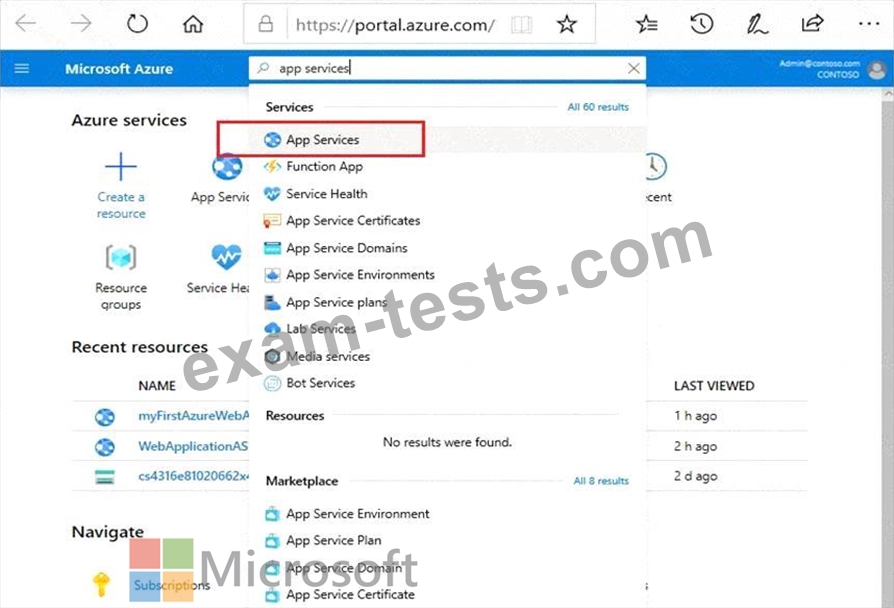
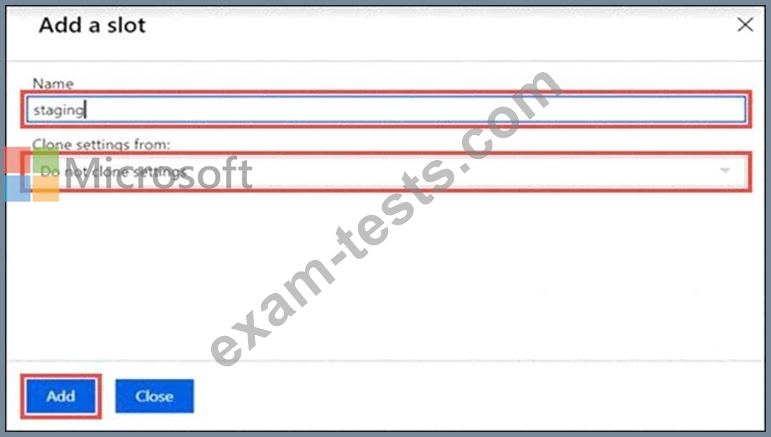
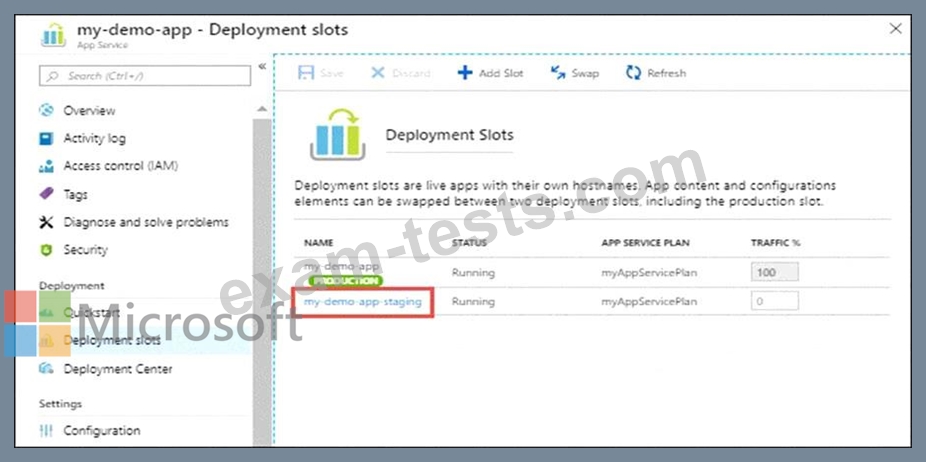
You plan to implement a CI/CD strategy for an Azure Web App named az400-11566895-main.
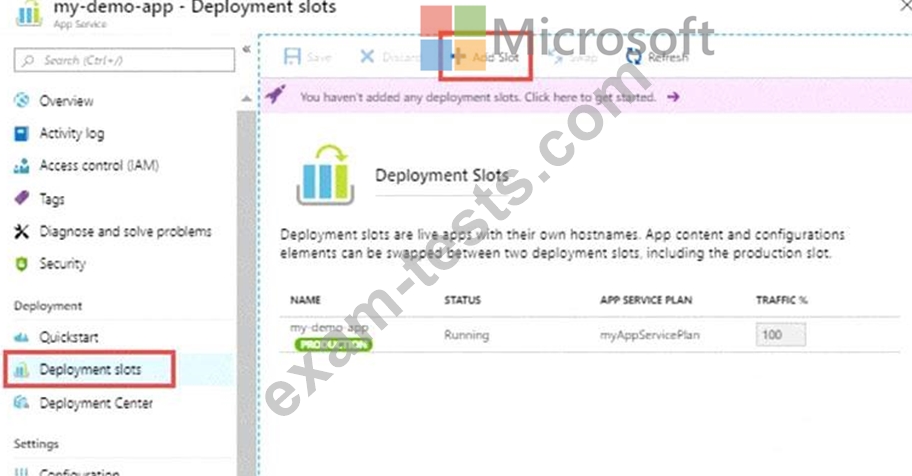
You need to configure a staging environment for az400-11566895-main.
To complete this task, sign in to the Microsoft Azure portal.
You need to configure a staging environment for az400-11566895-main.
To complete this task, sign in to the Microsoft Azure portal.
Question 24
You need to implement Project4.
What should you do first?
What should you do first?

Question 25
You have a project in Azure DevOps.
You need to configure a dashboard. The solution must include the following metrics:
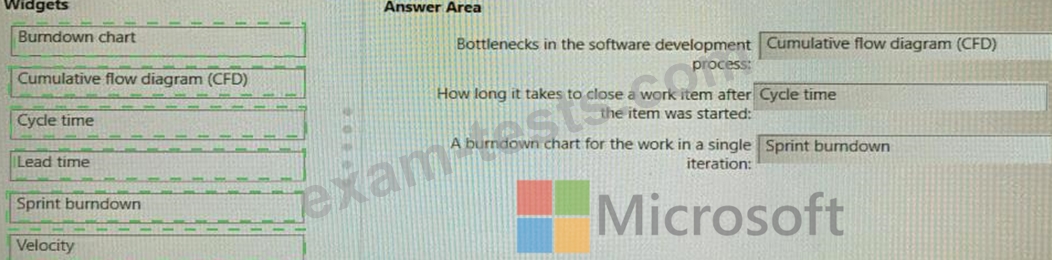
* Bottlenecks in the software development process
* A burndown chart for the work in a single iteration
* How long it takes to close a work item after the item was started
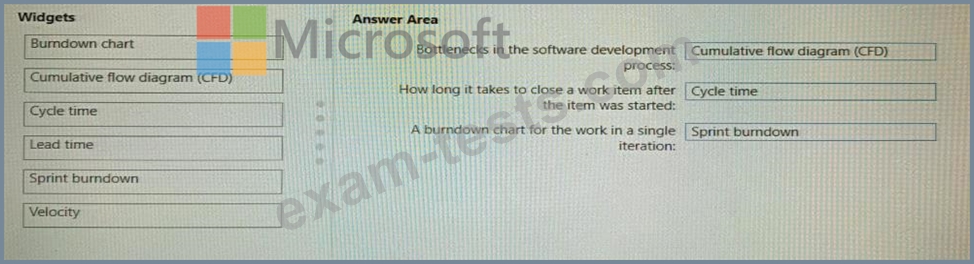
Which type of widget should you use for each metric? To answer, drag the appropriate widget types to the correct metrics. Each widget type may be used once, more than once, or not at all. You may need to drag the split bar between panes or scroll to view content.
NOTE: Each correct selection is worth one point.
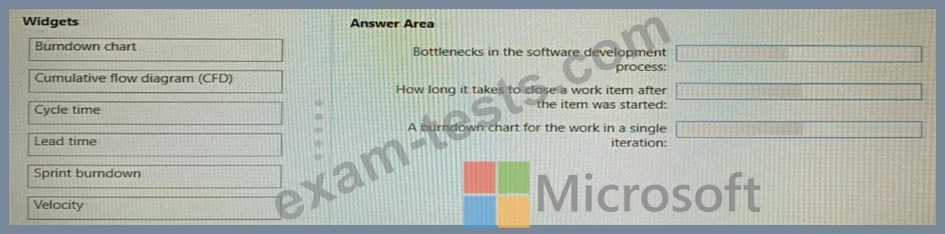
You need to configure a dashboard. The solution must include the following metrics:
* Bottlenecks in the software development process
* A burndown chart for the work in a single iteration
* How long it takes to close a work item after the item was started
Which type of widget should you use for each metric? To answer, drag the appropriate widget types to the correct metrics. Each widget type may be used once, more than once, or not at all. You may need to drag the split bar between panes or scroll to view content.
NOTE: Each correct selection is worth one point.