Question 221
You plan to deploy Azure Virtual WAN.
You need to deploy a virtual WAN hub that meets the following requirements:
Supports 10 sites that will connect to the virtual WAN hub by using a Site-to-Site VPN connection
Supports 8 Gbps of ExpressRoute traffic
Minimizes costs
What should you configure? To answer, select the appropriate options in the answer area.
NOTE: Each correct selection is worth one point.

You need to deploy a virtual WAN hub that meets the following requirements:
Supports 10 sites that will connect to the virtual WAN hub by using a Site-to-Site VPN connection
Supports 8 Gbps of ExpressRoute traffic
Minimizes costs
What should you configure? To answer, select the appropriate options in the answer area.
NOTE: Each correct selection is worth one point.

Question 222
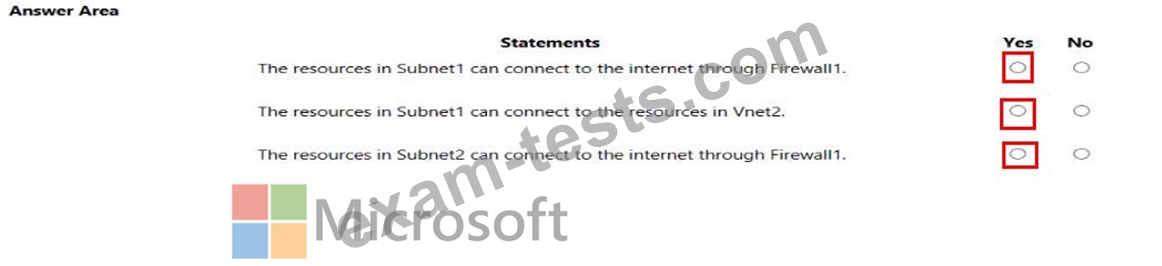
You have the network topology shown in the Topology exhibit. (Click the Topology tab.)

You have the Azure firewall shown in the Firewall 1 exhibit. (Click the Firewall tab.)

You have the route table shown in the RouteTable1 exhibit. (Click the RouteTable1 tab.)

For each of the following statements, select Yes if the statement is true. Otherwise, select No.
NOTE: Each correct selection is worth one point.

You have the Azure firewall shown in the Firewall 1 exhibit. (Click the Firewall tab.)
You have the route table shown in the RouteTable1 exhibit. (Click the RouteTable1 tab.)
For each of the following statements, select Yes if the statement is true. Otherwise, select No.
NOTE: Each correct selection is worth one point.
Question 223
SIMULATION

Username and password
Use the following login credentials as needed:
- To enter your username, place your cursor in the Sign in box and click on the username below.
- To enter your password, place your cursor in the Enter password box and click on the password below.
- Azure Username: [email protected]
- Azure Password: xxxxxxxxxx
- If the Azure portal does not load successfully in the browser, press CTRL-K to reload the portal in a new browser tab.
The following information is for technical support purposes only:
- Lab Instance: 12345678
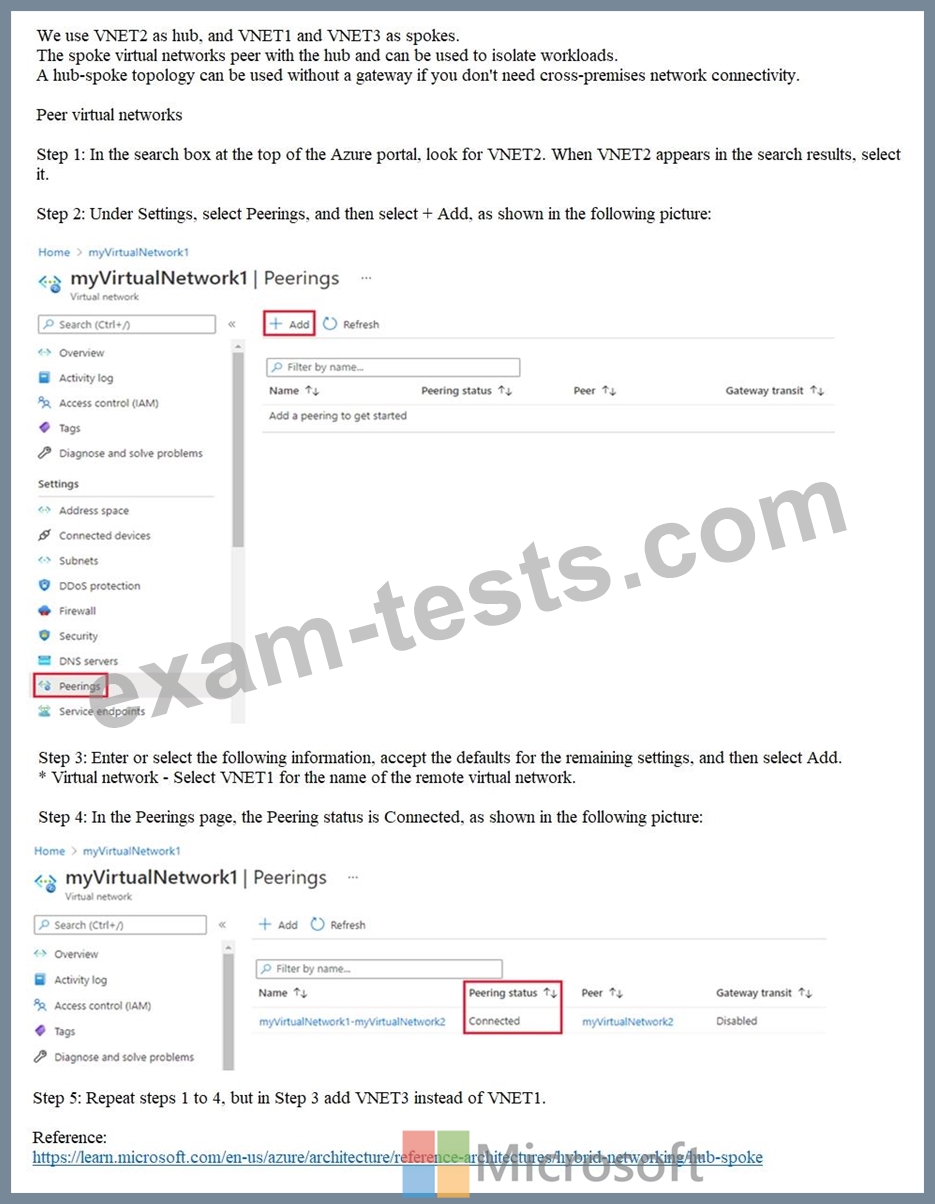
You need to ensure that hosts on VNET2 can access hosts on both VNET1 and VNET3. The solution must prevent hosts on VNET1 and VNET3 from communicating through VNET2.
To complete this task, sign in to the Azure portal.
Username and password
Use the following login credentials as needed:
- To enter your username, place your cursor in the Sign in box and click on the username below.
- To enter your password, place your cursor in the Enter password box and click on the password below.
- Azure Username: [email protected]
- Azure Password: xxxxxxxxxx
- If the Azure portal does not load successfully in the browser, press CTRL-K to reload the portal in a new browser tab.
The following information is for technical support purposes only:
- Lab Instance: 12345678
You need to ensure that hosts on VNET2 can access hosts on both VNET1 and VNET3. The solution must prevent hosts on VNET1 and VNET3 from communicating through VNET2.
To complete this task, sign in to the Azure portal.
Question 224
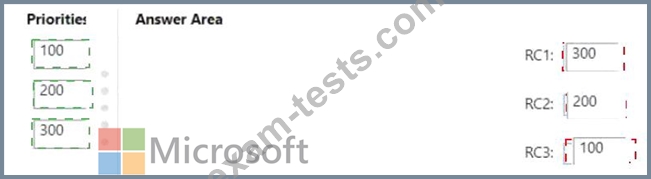
You have an Azure subscription that contains an Azure Firewall Premium policy named FWP1.
To FWP1, you plan to add the rule collections shown in the following table.
Which priority should you assign to each rule collection? To answer, drag the appropriate priority values to the correct rule collections- Each value may be used once, more than once, or not at all. You may need to drag the split bar between panes or scroll to view content.
NOTE: Each correct selection is worth one point.

To FWP1, you plan to add the rule collections shown in the following table.
Which priority should you assign to each rule collection? To answer, drag the appropriate priority values to the correct rule collections- Each value may be used once, more than once, or not at all. You may need to drag the split bar between panes or scroll to view content.
NOTE: Each correct selection is worth one point.