

Question 6
Create a PSP that will prevent the creation of privileged pods in the namespace.
Create a new PodSecurityPolicy named prevent-privileged-policy which prevents the creation of privileged pods.
Create a new ServiceAccount named psp-sa in the namespace default.
Create a new ClusterRole named prevent-role, which uses the newly created Pod Security Policy prevent-privileged-policy.
Create a new ClusterRoleBinding named prevent-role-binding, which binds the created ClusterRole prevent-role to the created SA psp-sa.
Also, Check the Configuration is working or not by trying to Create a Privileged pod, it should get failed.
Create a new PodSecurityPolicy named prevent-privileged-policy which prevents the creation of privileged pods.
Create a new ServiceAccount named psp-sa in the namespace default.
Create a new ClusterRole named prevent-role, which uses the newly created Pod Security Policy prevent-privileged-policy.
Create a new ClusterRoleBinding named prevent-role-binding, which binds the created ClusterRole prevent-role to the created SA psp-sa.
Also, Check the Configuration is working or not by trying to Create a Privileged pod, it should get failed.
Question 7
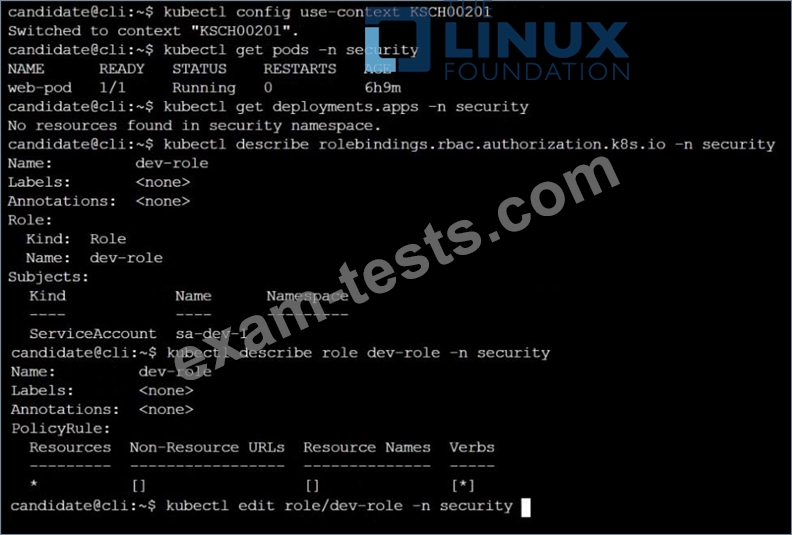
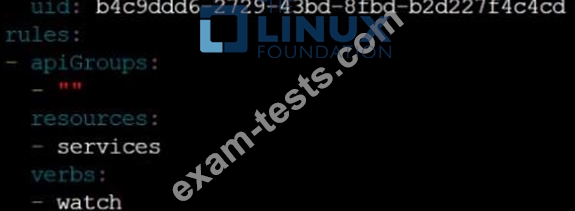
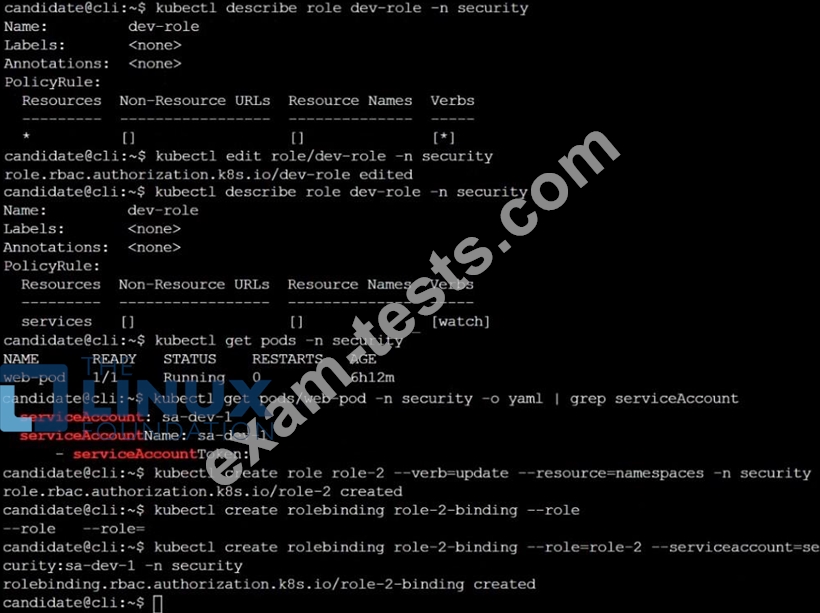
Given an existing Pod named nginx-pod running in the namespace test-system, fetch the service-account-name used and put the content in /candidate/KSC00124.txt Create a new Role named dev-test-role in the namespace test-system, which can perform update operations, on resources of type namespaces.
Create a new RoleBinding named dev-test-role-binding, which binds the newly created Role to the Pod's ServiceAccount ( found in the Nginx pod running in namespace test-system).
Create a new RoleBinding named dev-test-role-binding, which binds the newly created Role to the Pod's ServiceAccount ( found in the Nginx pod running in namespace test-system).
Question 8
A container image scanner is set up on the cluster.
Given an incomplete configuration in the directory
/etc/kubernetes/confcontrol and a functional container image scanner with HTTPS endpoint https://test-server.local.8081/image_policy
1. Enable the admission plugin.
2. Validate the control configuration and change it to implicit deny.
Finally, test the configuration by deploying the pod having the image tag as latest.
Given an incomplete configuration in the directory
/etc/kubernetes/confcontrol and a functional container image scanner with HTTPS endpoint https://test-server.local.8081/image_policy
1. Enable the admission plugin.
2. Validate the control configuration and change it to implicit deny.
Finally, test the configuration by deploying the pod having the image tag as latest.
Question 9
SIMULATION
A container image scanner is set up on the cluster.
Given an incomplete configuration in the directory
/etc/Kubernetes/confcontrol and a functional container image scanner with HTTPS endpoint https://acme.local.8081/image_policy
1. Enable the admission plugin.
2. Validate the control configuration and change it to implicit deny.
Finally, test the configuration by deploying the pod having the image tag as the latest.
A container image scanner is set up on the cluster.
Given an incomplete configuration in the directory
/etc/Kubernetes/confcontrol and a functional container image scanner with HTTPS endpoint https://acme.local.8081/image_policy
1. Enable the admission plugin.
2. Validate the control configuration and change it to implicit deny.
Finally, test the configuration by deploying the pod having the image tag as the latest.
Question 10
Create a RuntimeClass named gvisor-rc using the prepared runtime handler named runsc.
Create a Pods of image Nginx in the Namespace server to run on the gVisor runtime class
Create a Pods of image Nginx in the Namespace server to run on the gVisor runtime class