Question 136
Note: This question is part of a series of questions that present the same scenario. Each question in the series contains a unique solution that might meet the stated goals. Some questions sets might have more than one correct solution, while others might not have a correct solution.
After you answer a question in this section, you will NOT be able to return to it. As a result, these questions will not appear in the review screen.
You have a Microsoft 365 subscription.
You have a user named User1. Several users have full access to the mailbox of User1.
Some email messages sent to User1 appear to have been read and deleted before the user viewed them.
When you search the audit log in Security & Compliance to identify who signed in to the mailbox of User1, the results are blank.
You need to ensure that you can view future sign-ins to the mailbox of User1.
You run the Set-Maibox -Identity "User1" -AuditEnabled $true command.
Does that meet the goal?
After you answer a question in this section, you will NOT be able to return to it. As a result, these questions will not appear in the review screen.
You have a Microsoft 365 subscription.
You have a user named User1. Several users have full access to the mailbox of User1.
Some email messages sent to User1 appear to have been read and deleted before the user viewed them.
When you search the audit log in Security & Compliance to identify who signed in to the mailbox of User1, the results are blank.
You need to ensure that you can view future sign-ins to the mailbox of User1.
You run the Set-Maibox -Identity "User1" -AuditEnabled $true command.
Does that meet the goal?
Question 137
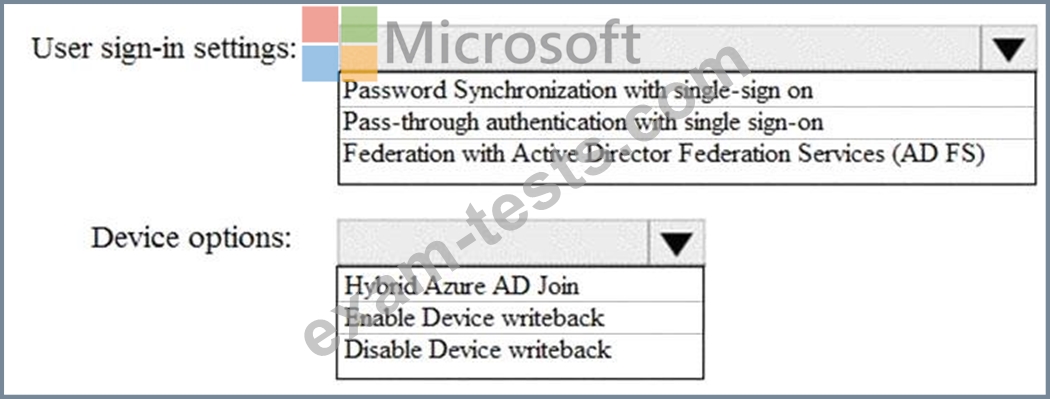
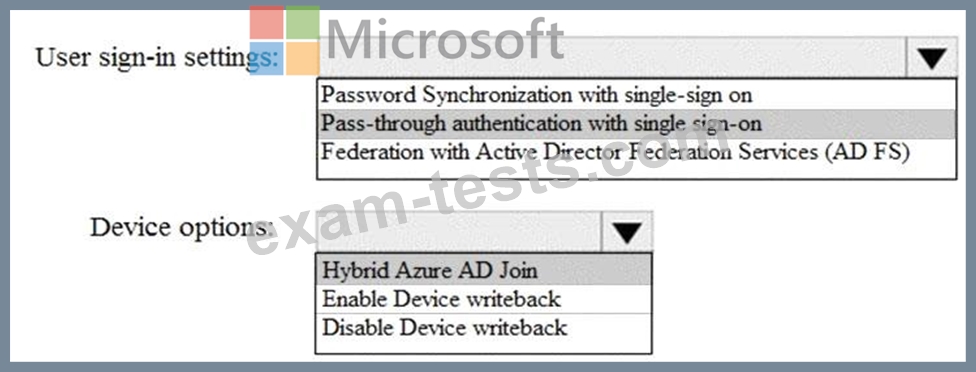
How should you configure Azure AD Connect? To answer, select the appropriate options in the answer area.
NOTE: Each correct selection is worth one point.
NOTE: Each correct selection is worth one point.
Question 138
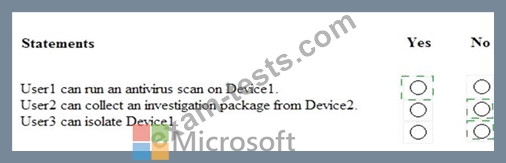
Which users are members of ADGroup1 and ADGroup2? To answer, select the appropriate options in the answer area.
NOTE: Each correct selection is worth one point.

NOTE: Each correct selection is worth one point.


Question 139
You have a Microsoft 365 subscription.
You are creating a retention policy named Retention1 as shown in the following exhibit.
You apply Retention1 to SharePoint sites and OneDrive accounts.
Use the drop-down menus to select the answer choice that completes each statement based on the information presented in the graphic.
NOTE: Each correct selection is worth one point.

You are creating a retention policy named Retention1 as shown in the following exhibit.
You apply Retention1 to SharePoint sites and OneDrive accounts.
Use the drop-down menus to select the answer choice that completes each statement based on the information presented in the graphic.
NOTE: Each correct selection is worth one point.


Question 140
You have a Microsoft 365 E5 subscription.
All computers run Windows 10 and are onboarded to Windows Defender Advanced Threat Protection (Windows Defender ATP).
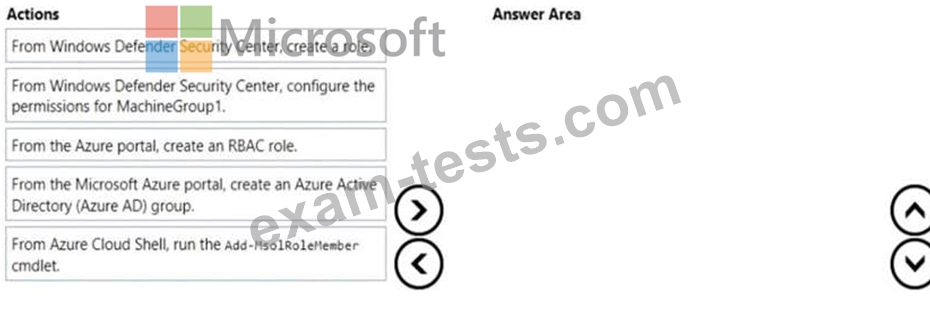
You create a Windows Defender machine group named MachineGroupl.
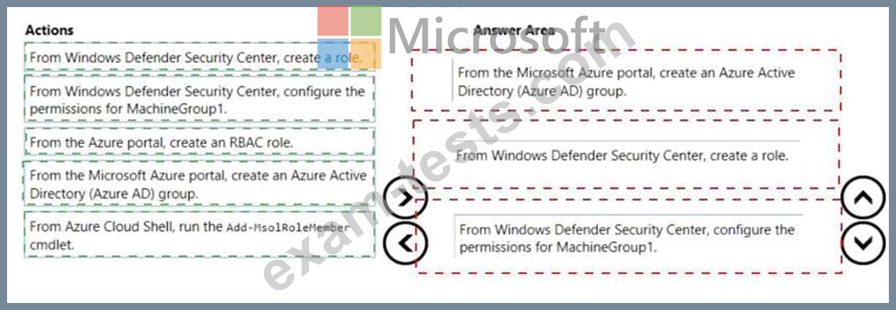
You need to enable delegation for the security settings of the computers in MachineGroupl.
Which three actions should you perform in sequence? To answer, move the appropriate actions from the list of actions to the answer area and arrange them in the correct order.
All computers run Windows 10 and are onboarded to Windows Defender Advanced Threat Protection (Windows Defender ATP).
You create a Windows Defender machine group named MachineGroupl.
You need to enable delegation for the security settings of the computers in MachineGroupl.
Which three actions should you perform in sequence? To answer, move the appropriate actions from the list of actions to the answer area and arrange them in the correct order.