Question 76
Your company plans to upgrade to Microsoft Teams from Microsoft Skype for Business Online. The org-wide coexistence mode for Microsoft Teams is set to Teams Only.
The company has a user named User1.
You need to implement a migration solution that meets the following requirements:
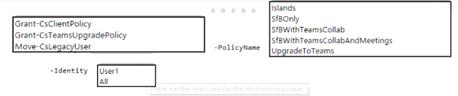
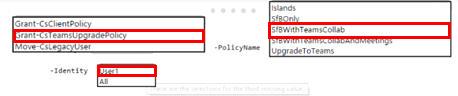
* User 1 must be able to chat and create meetings by using Skype for Business only.
* User 1 must be able to read and post messages by using Microsoft Teams channels.
How should you complete the PowerShell command? To answer, select the appropriate options in the answer are
a. NOTE: Each correct selection is worth one point.
The company has a user named User1.
You need to implement a migration solution that meets the following requirements:
* User 1 must be able to chat and create meetings by using Skype for Business only.
* User 1 must be able to read and post messages by using Microsoft Teams channels.
How should you complete the PowerShell command? To answer, select the appropriate options in the answer are
a. NOTE: Each correct selection is worth one point.
Question 77
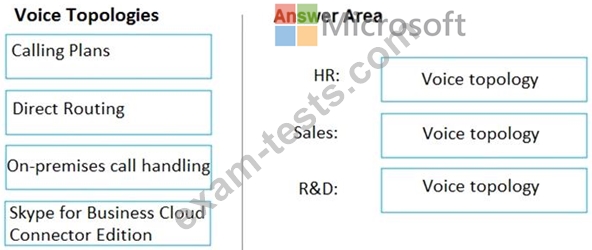
You need to recommend a voice topology for the departments. The topology must meet the calling requirements and the security requirements.
What should you recommend for each department? To answer, select the appropriate options in the answer area.
NOTE: Each correct selection is worth one point.
What should you recommend for each department? To answer, select the appropriate options in the answer area.
NOTE: Each correct selection is worth one point.

Question 78
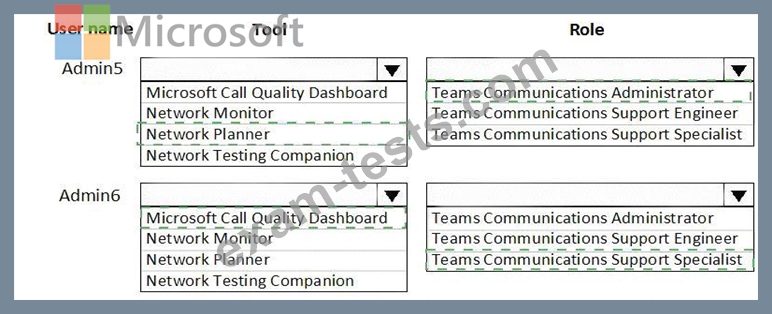
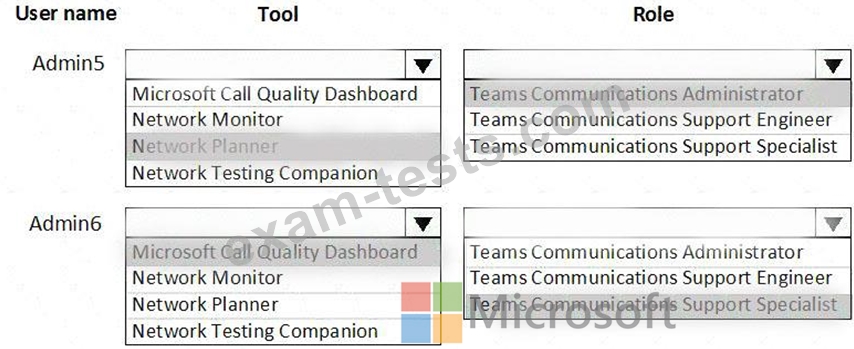
You need to recommend a solution to perform the network validation tasks for the platform upgrade.
Which tool and role should you recommend for each user? To answer, select the appropriate options in the answer area.
NOTE: Each correct selection is worth one point.
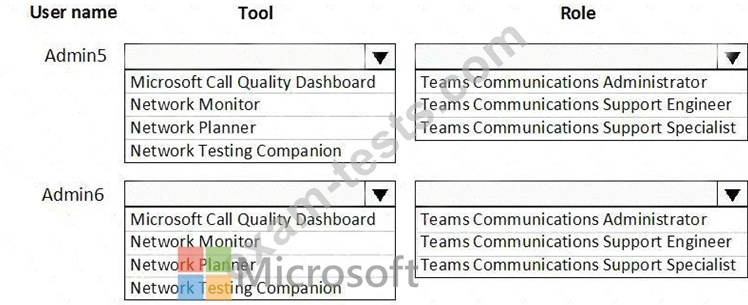
Which tool and role should you recommend for each user? To answer, select the appropriate options in the answer area.
NOTE: Each correct selection is worth one point.
Question 79
Your company has a Microsoft 365 subscription.
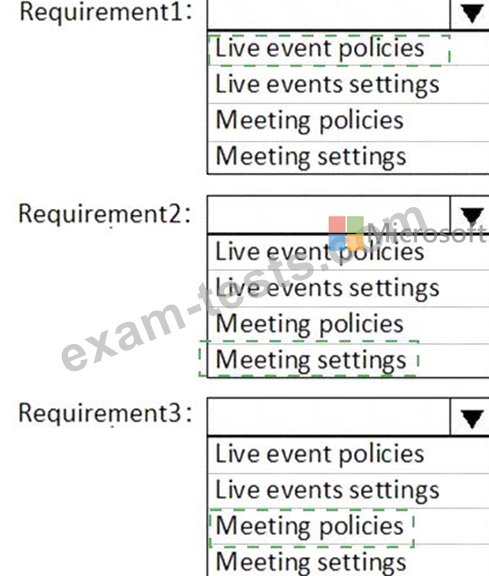
You need to configure Microsoft Teams to meet the requirements shown in the following table.

What should you configure for each requirement!? To answer, select the appropriate options in the answer area.
NOTE: Each correct selection is worth one point.
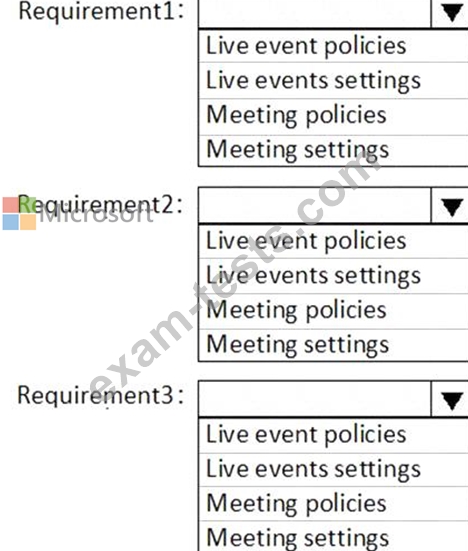
You need to configure Microsoft Teams to meet the requirements shown in the following table.
What should you configure for each requirement!? To answer, select the appropriate options in the answer area.
NOTE: Each correct selection is worth one point.
Question 80
Your company has a Microsoft 365 subscription that uses Microsoft Teams.
The company has a team named Customer Support.
Guest users from outside the company regularly access the Customer Support team.
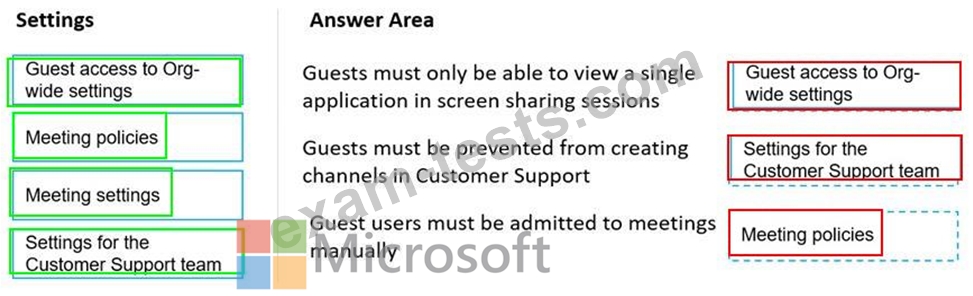
You need to configure the Guest access settings to meet the following requirements:
Guest users must be able to view only a single application during screen sharing sessions.
Guest users must be prevented from creating channels in Customer Support.
Guest users must be admitted to meetings manually.
Which settings should you configure for each requirement? To answer, drag the appropriate settings to the correct requirements. Each setting may be used once, more than once, or not at all. You may need to drag the split bar between panes or scroll to view content.

The company has a team named Customer Support.
Guest users from outside the company regularly access the Customer Support team.
You need to configure the Guest access settings to meet the following requirements:
Guest users must be able to view only a single application during screen sharing sessions.
Guest users must be prevented from creating channels in Customer Support.
Guest users must be admitted to meetings manually.
Which settings should you configure for each requirement? To answer, drag the appropriate settings to the correct requirements. Each setting may be used once, more than once, or not at all. You may need to drag the split bar between panes or scroll to view content.