

Question 301
A workstation on the network is configured as follows. A user reports that they are unable to print to a device located on a different subnet. Which of the following is the MOST likely problem?
IP address: 172.16.204.12
Subnet Mask: 255.255.0.0
Default Gateway: 172.15.204.254
DNS address: 172.16.204.1
Broadcast address: 172.16.255.255
IP address: 172.16.204.12
Subnet Mask: 255.255.0.0
Default Gateway: 172.15.204.254
DNS address: 172.16.204.1
Broadcast address: 172.16.255.255
Question 302
A network technician needs to install the latest firmware on the switch to address a recently discovered vulnerability. Which of the following should the technician do to have a rollback plan in case of issues with the new firmware? (Choose two.)
Question 303
A technician has replaced a customer's desktop with a known-good model from storage.
However, the replacement desktop will not connect to network resources. The technician suspects the desktop has not been kept up to date with security patches. Which of the following is MOST likely in place?
However, the replacement desktop will not connect to network resources. The technician suspects the desktop has not been kept up to date with security patches. Which of the following is MOST likely in place?
Question 304
A network administrator installed a multilayer switch In a shared closet. The network team will manage the switch remotely via SSH. Which of the following should the network administrator do to harden the switch in this scenario? (Select TWO).
Question 305
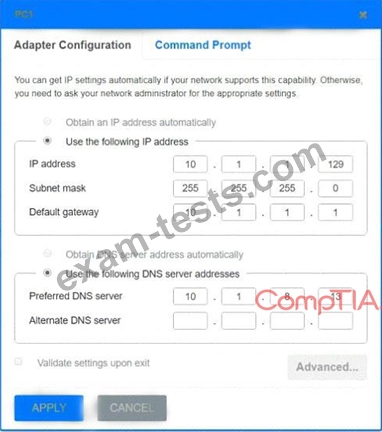
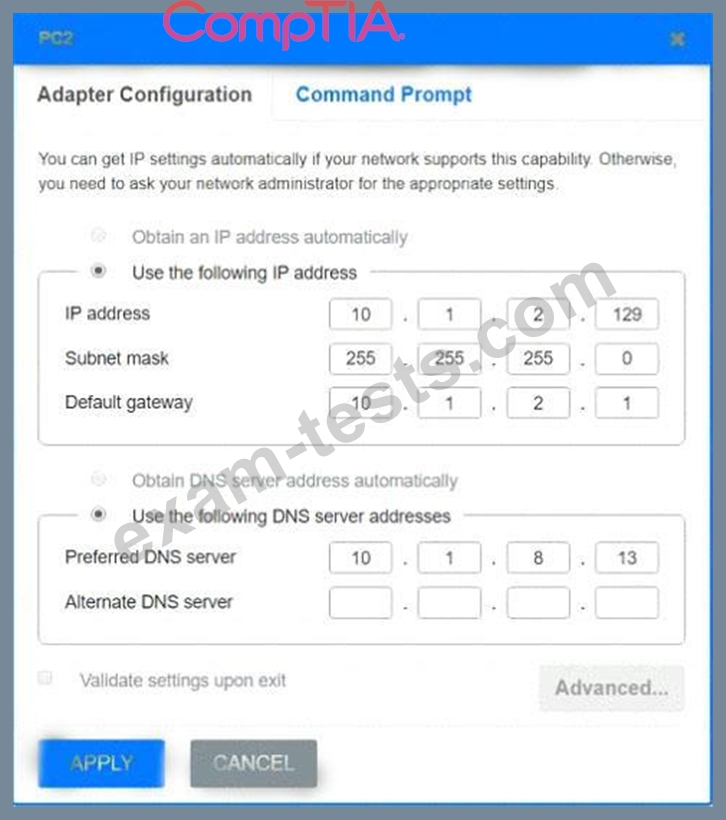
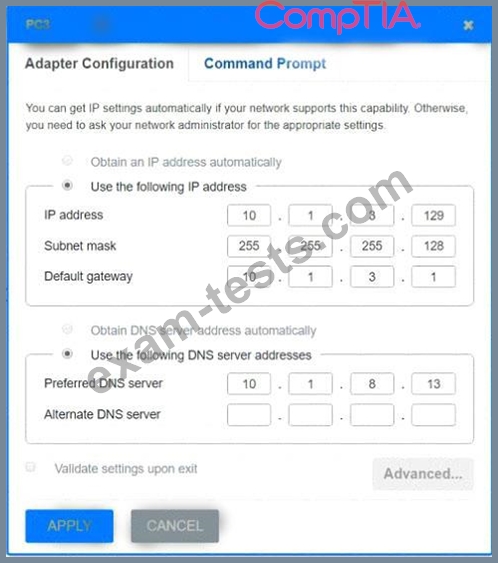
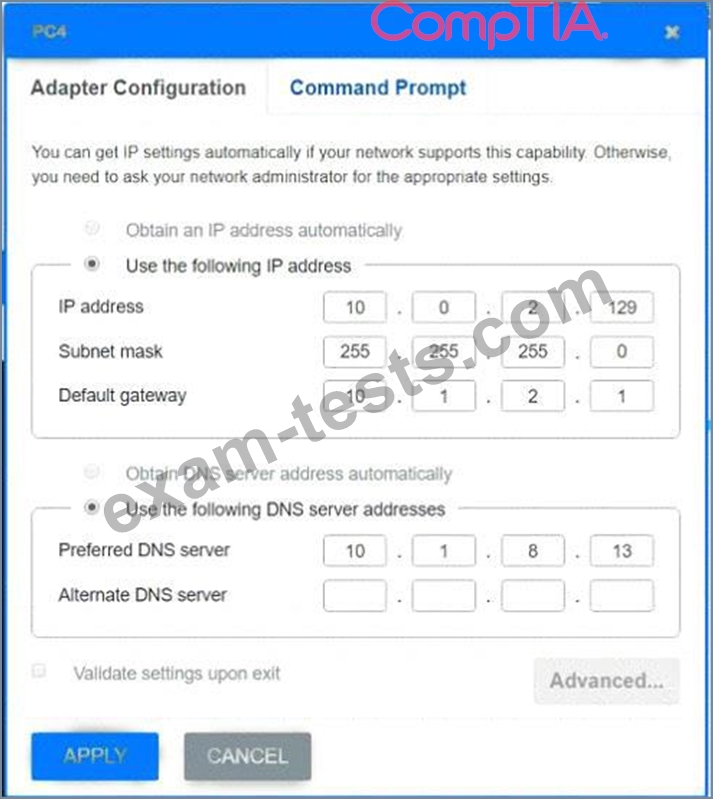
After recent changes to the pictured network, several users are unable to access the servers. Only PC1, PC2, PC3, and PC4 are clickable and will give you access to the command prompt and the adapter configuration tabs.
INSTRUCTIONS
Verify the settings by using the command prompt, after making any system changes.
Next, restore connectivity by making the appropriate changes to the infrastructure.
If at any time you would like to bring back the initial state of the simulation, please click the Reset All button.

INSTRUCTIONS
Verify the settings by using the command prompt, after making any system changes.
Next, restore connectivity by making the appropriate changes to the infrastructure.
If at any time you would like to bring back the initial state of the simulation, please click the Reset All button.