Question 101
You have the dashboard shown in the following exhibit.
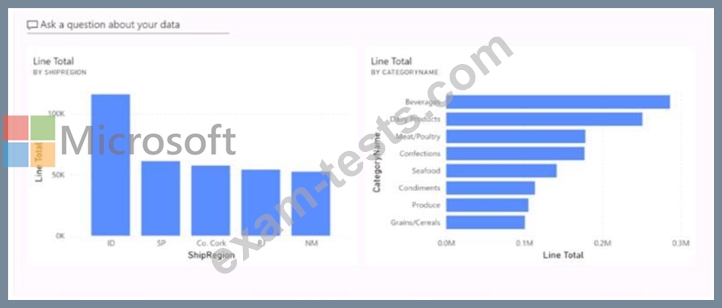
You need to modify the dashboard to display as shown in the following exhibit.
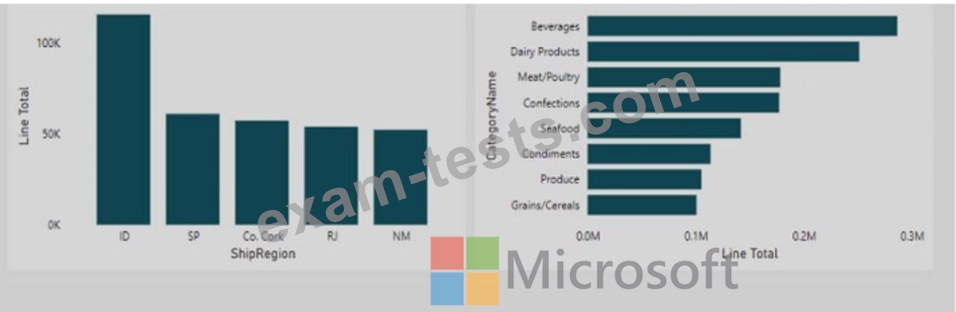
What should you do?
You need to modify the dashboard to display as shown in the following exhibit.
What should you do?
Question 102
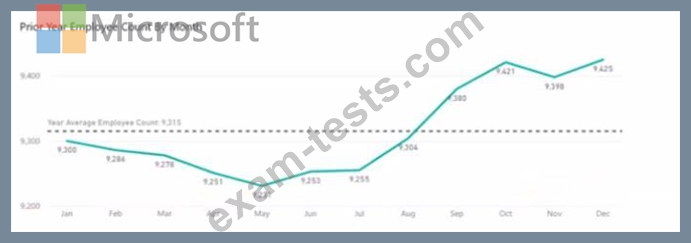
You are creating a line chart in a Power Bl report as shown in the following exhibit.
Use the drop-down menus to select the answer choice that completes each statement based on the information presented in the graphic.
NOTE: Each correct selection is worth one point.
Use the drop-down menus to select the answer choice that completes each statement based on the information presented in the graphic.
NOTE: Each correct selection is worth one point.

Question 103
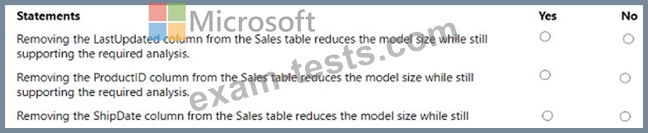
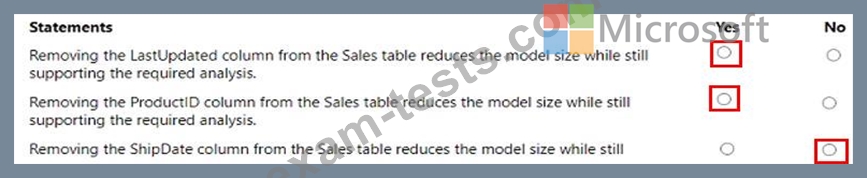
You have the Power BI data model shown in the following exhibit.

Select the appropriate yes or no.
Select the appropriate yes or no.
Question 104
You open powerbi.com as shown in the following exhibit.
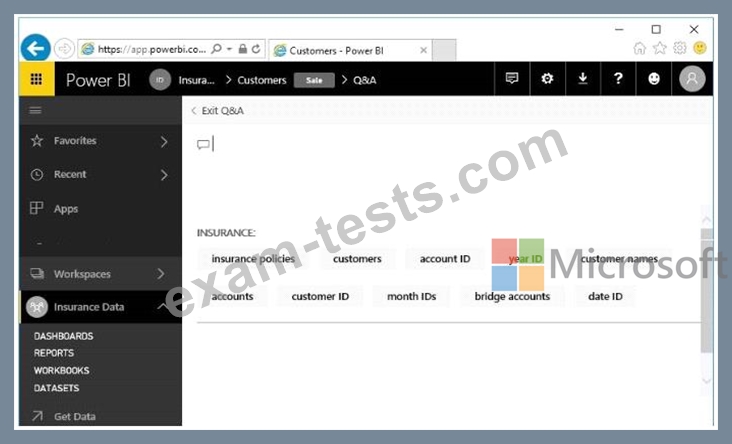
Use the drop-down menus to select the answer choice that completes each statement based on the information presented in the graphic.
NOTE: Each correct selection is worth one point.
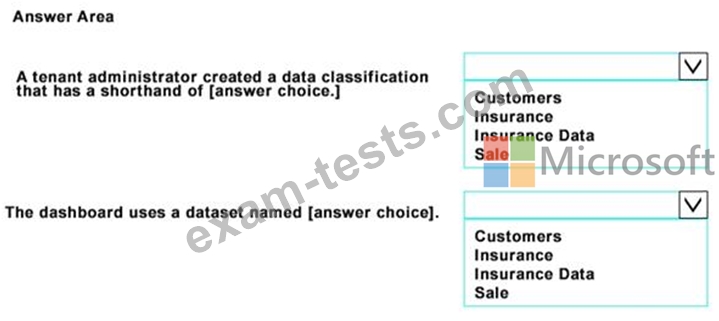
Use the drop-down menus to select the answer choice that completes each statement based on the information presented in the graphic.
NOTE: Each correct selection is worth one point.

Question 105
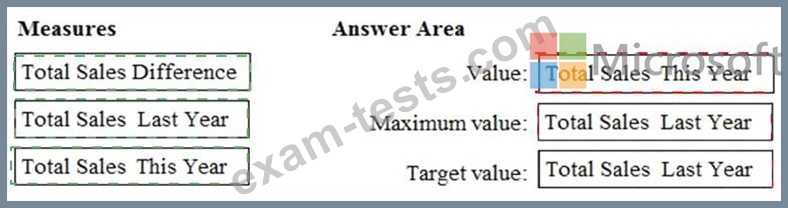
You have a Power BI model that contains a table named Sales. Sales has the following three measures:
* A measure named Total Sales Last Year that displays the sales from the previous calendar year. The current value is 32.89 million.
* A measure named Total Sales This Year that displays the sales from the current calendar year. The current value is 11.69 million.
* A measure named Total Sales Difference that uses a DAX formula of Sales[Last Year] - Sales[This Year].
You need to create the following visualization.
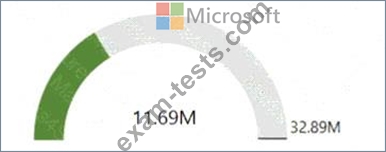
How should you configure the visualization? To answer, drag the appropriate measures to the correct fields.
Each value may be used once, more than once, or not at all. You may need to drag the split bar between panes or scroll to view content.
NOTE: Each correct selection is worth one point.

* A measure named Total Sales Last Year that displays the sales from the previous calendar year. The current value is 32.89 million.
* A measure named Total Sales This Year that displays the sales from the current calendar year. The current value is 11.69 million.
* A measure named Total Sales Difference that uses a DAX formula of Sales[Last Year] - Sales[This Year].
You need to create the following visualization.
How should you configure the visualization? To answer, drag the appropriate measures to the correct fields.
Each value may be used once, more than once, or not at all. You may need to drag the split bar between panes or scroll to view content.
NOTE: Each correct selection is worth one point.