Question 46
A small office in a remote area is considering a new ISP.
Which of the following broadband types is based on the distance to the nearest central office?
Which of the following broadband types is based on the distance to the nearest central office?
Question 47
Some users are having intermittent trouble working with files on a shared folder A technician is able to access the share and modify data The technician verifies no changes were made to the RAID array, and it appears healthy Logging however reports the cache module failed. Which of the following explains the issue being experienced?
Question 48
A technician has been asked to fix a problem with a projector. The projector lamp turns off for brief periods during a demonstration. After the technician replaced the lamp, the problem continued with an added message that appears just before the lamp turns off. Which of the following MOST likely need to be performed? (Choose two.)
Question 49
A user's laptop is not connecting to the company's file server. The user provides the following network information from the laptop:
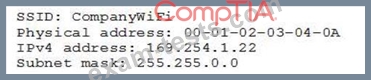
Which of the following is MOST likely causing the issue?
Which of the following is MOST likely causing the issue?
Question 50
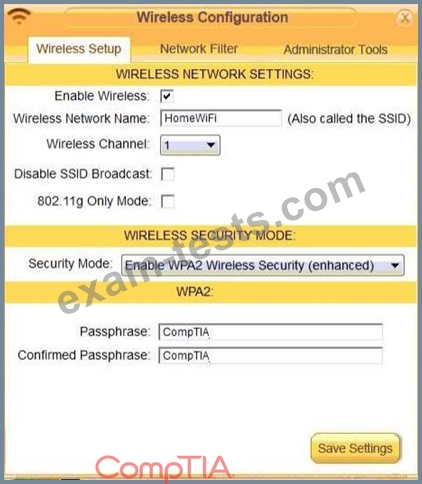
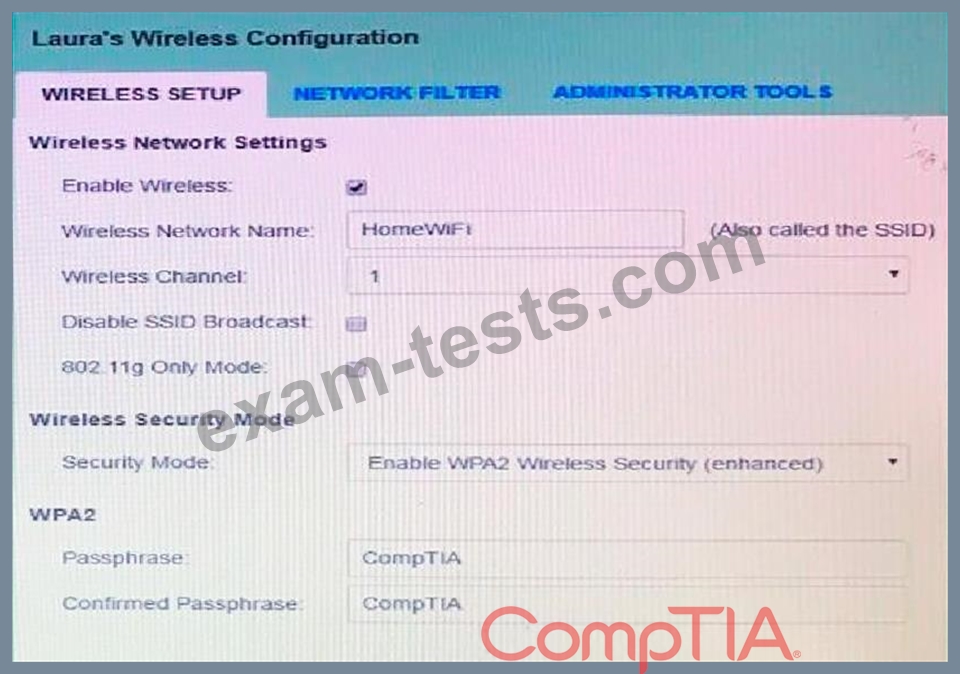
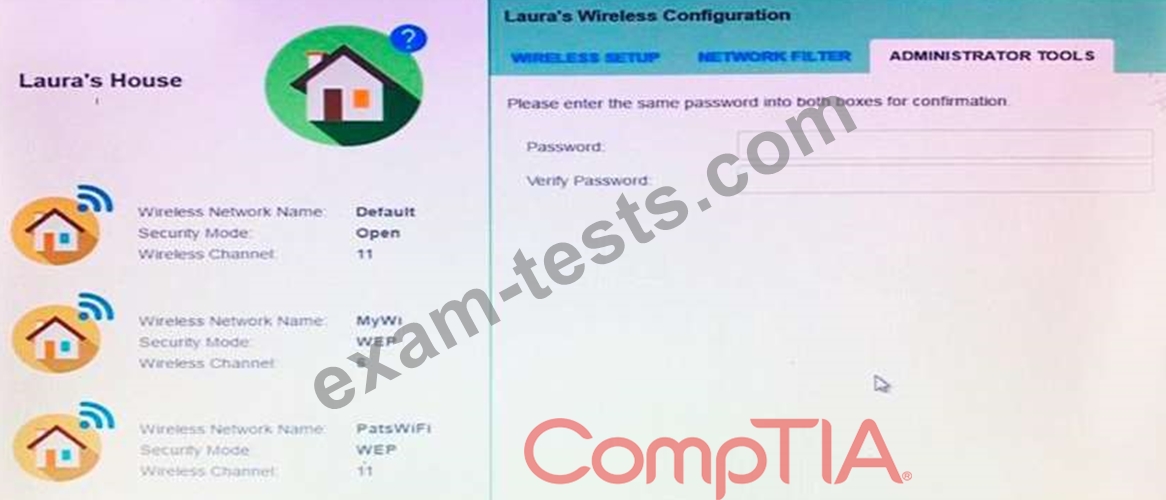
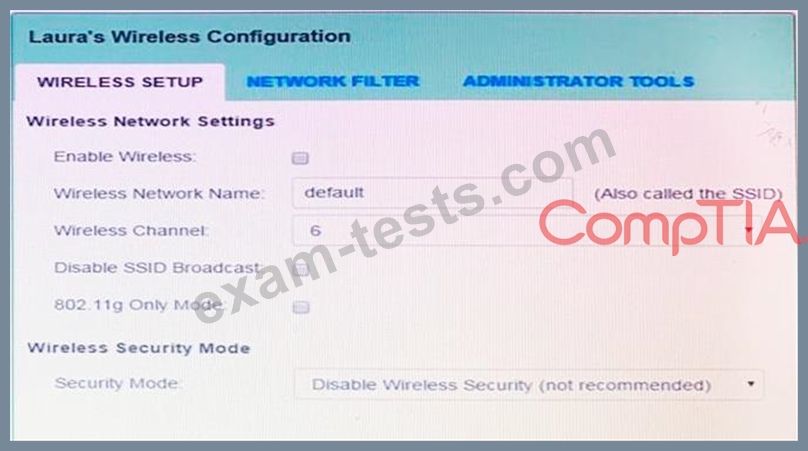
Laura, a customer, has instructed you to configure her home office wireless access point.
She plans to use the wireless network for finances and has requested that the network be setup with the highest encryption possible.
Additionally, Laura knows that her neighbors have wireless networks and wants to ensure that her network is not being interfered with by the other networks.
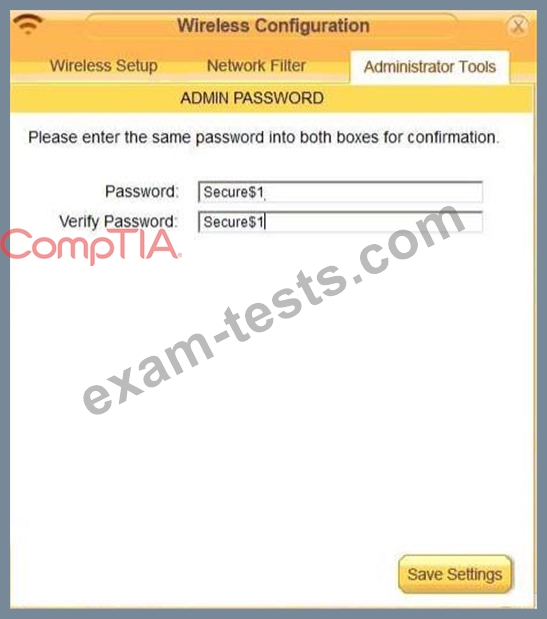
She requests that the default settings be changed to the following.
Wireless Name: HomeWiFi
Shared Key: CompTIA
Router Password: Secure$1
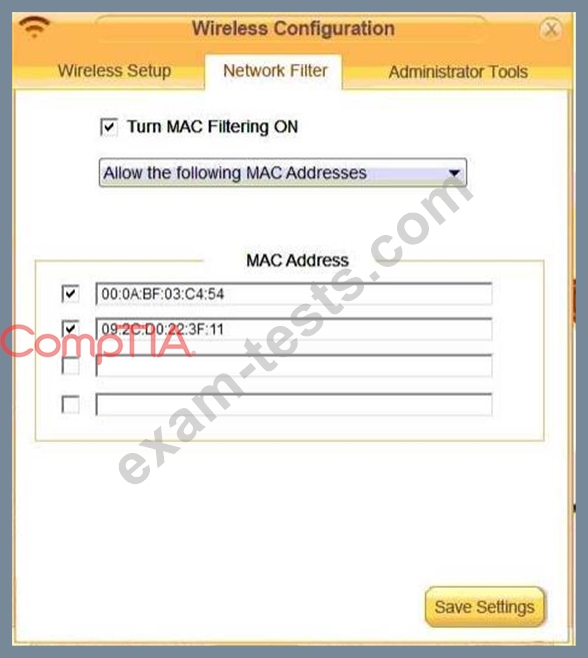
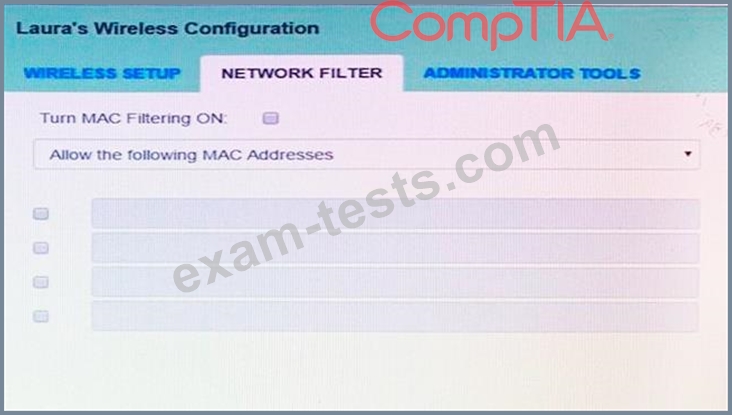
Finally, Laura wants to ensure that only her laptop and Smartphone can connect to the network.
Laptop: IP Address 192.168.1.100
Hardware Address: 00:0A:BF:03:C4:54
Smartphone: IP Address 192.168.1.101
Hardware Address: 09:2C:D0:22:3F:11
INSTRUCTIONS
Configure Laura's wireless network using the network adapter window.
If at any time you would like to bring back the initial state of the situation, please click the Reset All button.
She plans to use the wireless network for finances and has requested that the network be setup with the highest encryption possible.
Additionally, Laura knows that her neighbors have wireless networks and wants to ensure that her network is not being interfered with by the other networks.
She requests that the default settings be changed to the following.
Wireless Name: HomeWiFi
Shared Key: CompTIA
Router Password: Secure$1
Finally, Laura wants to ensure that only her laptop and Smartphone can connect to the network.
Laptop: IP Address 192.168.1.100
Hardware Address: 00:0A:BF:03:C4:54
Smartphone: IP Address 192.168.1.101
Hardware Address: 09:2C:D0:22:3F:11
INSTRUCTIONS
Configure Laura's wireless network using the network adapter window.
If at any time you would like to bring back the initial state of the situation, please click the Reset All button.