Question 1
Task
A deployment is falling on the cluster due to an incorrect image being specified. Locate the deployment, and fix the problem.
Question 2
Refer to Exhibit.

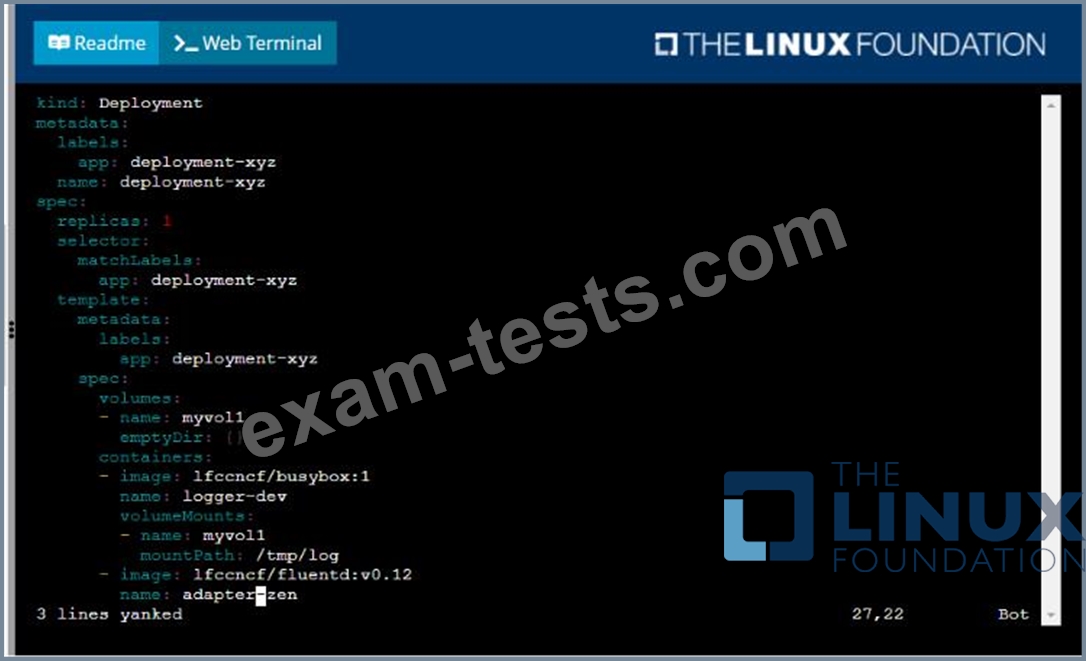
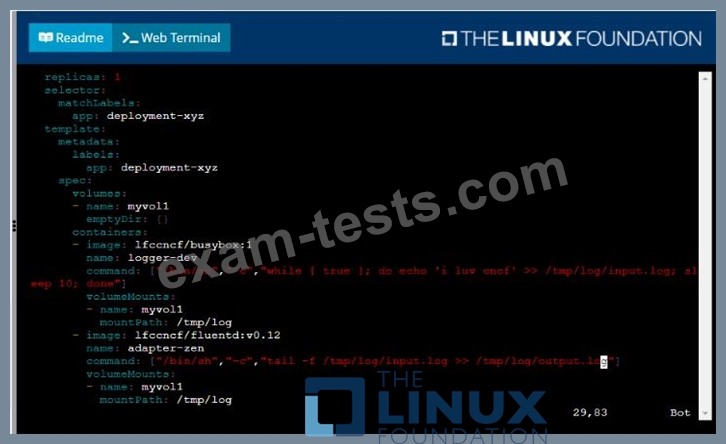
Given a container that writes a log file in format A and a container that converts log files from format A to format B, create a deployment that runs both containers such that the log files from the first container are converted by the second container, emitting logs in format B.
Task:
* Create a deployment named deployment-xyz in the default namespace, that:
* Includes a primary
lfccncf/busybox:1 container, named logger-dev
* includes a sidecar Ifccncf/fluentd:v0.12 container, named adapter-zen
* Mounts a shared volume /tmp/log on both containers, which does not persist when the pod is deleted
* Instructs the logger-dev
container to run the command
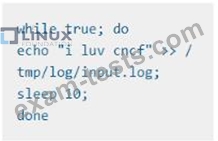
which should output logs to /tmp/log/input.log in plain text format, with example values:

* The adapter-zen sidecar container should read /tmp/log/input.log and output the data to /tmp/log/output.* in Fluentd JSON format. Note that no knowledge of Fluentd is required to complete this task: all you will need to achieve this is to create the ConfigMap from the spec file provided at /opt/KDMC00102/fluentd-configma p.yaml , and mount that ConfigMap to /fluentd/etc in the adapter-zen sidecar container
Given a container that writes a log file in format A and a container that converts log files from format A to format B, create a deployment that runs both containers such that the log files from the first container are converted by the second container, emitting logs in format B.
Task:
* Create a deployment named deployment-xyz in the default namespace, that:
* Includes a primary
lfccncf/busybox:1 container, named logger-dev
* includes a sidecar Ifccncf/fluentd:v0.12 container, named adapter-zen
* Mounts a shared volume /tmp/log on both containers, which does not persist when the pod is deleted
* Instructs the logger-dev
container to run the command
which should output logs to /tmp/log/input.log in plain text format, with example values:
* The adapter-zen sidecar container should read /tmp/log/input.log and output the data to /tmp/log/output.* in Fluentd JSON format. Note that no knowledge of Fluentd is required to complete this task: all you will need to achieve this is to create the ConfigMap from the spec file provided at /opt/KDMC00102/fluentd-configma p.yaml , and mount that ConfigMap to /fluentd/etc in the adapter-zen sidecar container




Question 3
Context

Task:
1) Fix any API depreciation issues in the manifest file -/credible-mite/www.yaml so that this application can be deployed on cluster K8s.

2) Deploy the application specified in the updated manifest file -/credible-mite/www.yaml in namespace cobra
Task:
1) Fix any API depreciation issues in the manifest file -/credible-mite/www.yaml so that this application can be deployed on cluster K8s.
2) Deploy the application specified in the updated manifest file -/credible-mite/www.yaml in namespace cobra


Question 4

Context
It is always useful to look at the resources your applications are consuming in a cluster.
Task
* From the pods running in namespace cpu-stress , write the name only of the pod that is consuming the most CPU to file /opt/KDOBG030l/pod.txt, which has already been created.

Question 5
Context
As a Kubernetes application developer you will often find yourself needing to update a running application.
Task
Please complete the following:
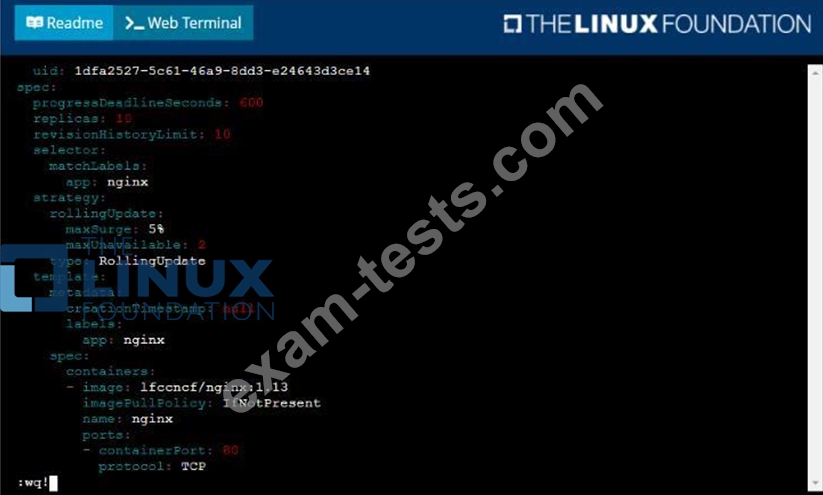
* Update the app deployment in the kdpd00202 namespace with a maxSurge of 5% and a maxUnavailable of
2%
* Perform a rolling update of the web1 deployment, changing the Ifccncf/ngmx image version to 1.13
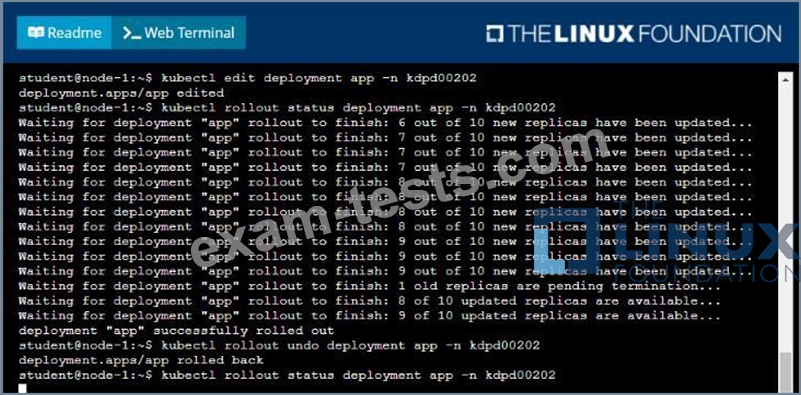
* Roll back the app deployment to the previous version