Question 16
SIMULATION
Create a RuntimeClass named gvisor-rc using the prepared runtime handler named runsc.
Create a Pods of image Nginx in the Namespace server to run on the gVisor runtime class
Create a RuntimeClass named gvisor-rc using the prepared runtime handler named runsc.
Create a Pods of image Nginx in the Namespace server to run on the gVisor runtime class
Question 17
SIMULATION
A container image scanner is set up on the cluster.
Given an incomplete configuration in the directory
/etc/Kubernetes/confcontrol and a functional container image scanner with HTTPS endpoint https://acme.local.8081/image_policy
1. Enable the admission plugin.
2. Validate the control configuration and change it to implicit deny.
Finally, test the configuration by deploying the pod having the image tag as the latest.
A container image scanner is set up on the cluster.
Given an incomplete configuration in the directory
/etc/Kubernetes/confcontrol and a functional container image scanner with HTTPS endpoint https://acme.local.8081/image_policy
1. Enable the admission plugin.
2. Validate the control configuration and change it to implicit deny.
Finally, test the configuration by deploying the pod having the image tag as the latest.
Question 18
You can switch the cluster/configuration context using the following command: [desk@cli] $ kubectl config use-context stage Context: A PodSecurityPolicy shall prevent the creation of privileged Pods in a specific namespace. Task: 1. Create a new PodSecurityPolcy named deny-policy, which prevents the creation of privileged Pods. 2. Create a new ClusterRole name deny-access-role, which uses the newly created PodSecurityPolicy deny-policy. 3. Create a new ServiceAccount named psd-denial-sa in the existing namespace development. Finally, create a new ClusterRoleBindind named restrict-access-bind, which binds the newly created ClusterRole deny-access-role to the newly created ServiceAccount psp-denial-sa
Question 19
You must complete this task on the following cluster/nodes: Cluster: trace Master node: master Worker node: worker1 You can switch the cluster/configuration context using the following command: [desk@cli] $ kubectl config use-context trace Given: You may use Sysdig or Falco documentation. Task: Use detection tools to detect anomalies like processes spawning and executing something weird frequently in the single container belonging to Pod tomcat. Two tools are available to use: 1. falco 2. sysdig Tools are pre-installed on the worker1 node only. Analyse the container's behaviour for at least 40 seconds, using filters that detect newly spawning and executing processes. Store an incident file at /home/cert_masters/report, in the following format: [timestamp],[uid],[processName] Note: Make sure to store incident file on the cluster's worker node, don't move it to master node.

Question 20
Task
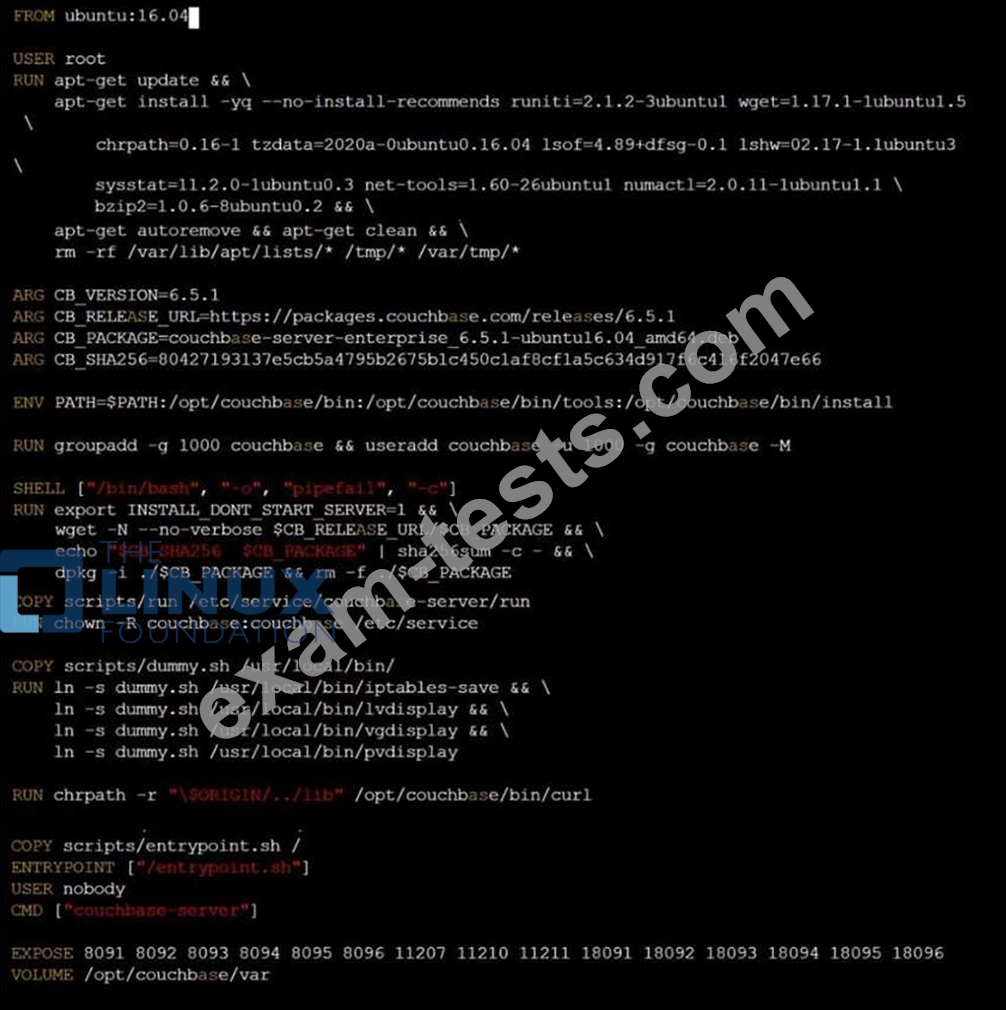
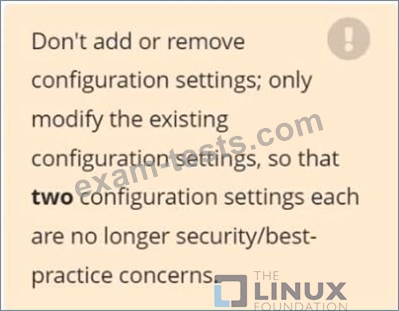
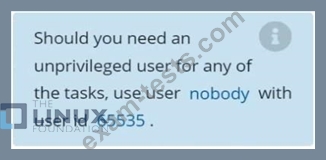
Analyze and edit the given Dockerfile /home/candidate/KSSC00301/Docker file (based on the ubuntu:16.04 image), fixing two instructions present in the file that are prominent security/best-practice issues.
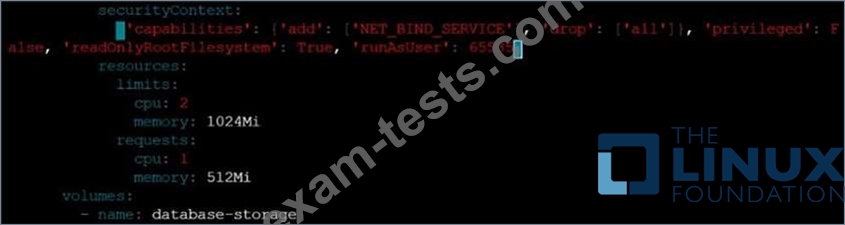
Analyze and edit the given manifest file /home/candidate/KSSC00301/deployment.yaml, fixing two fields present in the file that are prominent security/best-practice issues.
Analyze and edit the given Dockerfile /home/candidate/KSSC00301/Docker file (based on the ubuntu:16.04 image), fixing two instructions present in the file that are prominent security/best-practice issues.
Analyze and edit the given manifest file /home/candidate/KSSC00301/deployment.yaml, fixing two fields present in the file that are prominent security/best-practice issues.