

Question 21
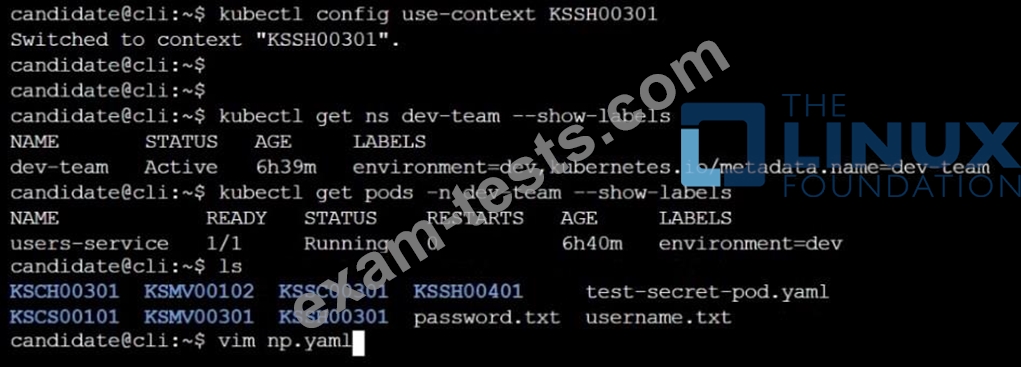
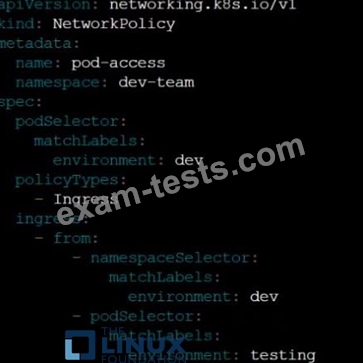
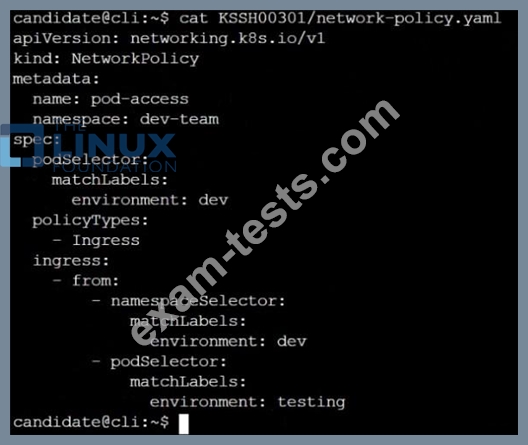
Cluster: qa-cluster Master node: master Worker node: worker1 You can switch the cluster/configuration context using the following command: [desk@cli] $ kubectl config use-context qa-cluster Task: Create a NetworkPolicy named restricted-policy to restrict access to Pod product running in namespace dev. Only allow the following Pods to connect to Pod products-service: 1. Pods in the namespace qa 2. Pods with label environment: stage, in any namespace

Question 22
SIMULATION
Create a new ServiceAccount named backend-sa in the existing namespace default, which has the capability to list the pods inside the namespace default.
Create a new Pod named backend-pod in the namespace default, mount the newly created sa backend-sa to the pod, and Verify that the pod is able to list pods.
Ensure that the Pod is running.
Create a new ServiceAccount named backend-sa in the existing namespace default, which has the capability to list the pods inside the namespace default.
Create a new Pod named backend-pod in the namespace default, mount the newly created sa backend-sa to the pod, and Verify that the pod is able to list pods.
Ensure that the Pod is running.
Question 23
SIMULATION
Create a network policy named allow-np, that allows pod in the namespace staging to connect to port 80 of other pods in the same namespace.
Ensure that Network Policy:-
1. Does not allow access to pod not listening on port 80.
2. Does not allow access from Pods, not in namespace staging.
Create a network policy named allow-np, that allows pod in the namespace staging to connect to port 80 of other pods in the same namespace.
Ensure that Network Policy:-
1. Does not allow access to pod not listening on port 80.
2. Does not allow access from Pods, not in namespace staging.
Question 24
SIMULATION
Secrets stored in the etcd is not secure at rest, you can use the etcdctl command utility to find the secret value for e.g:- ETCDCTL_API=3 etcdctl get /registry/secrets/default/cks-secret --cacert="ca.crt" --cert="server.crt" --key="server.key" Output
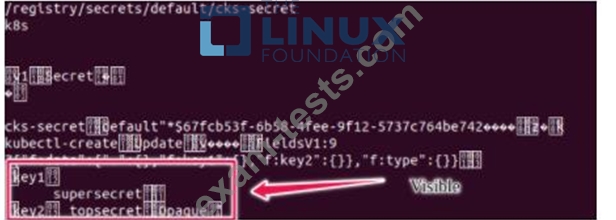
Using the Encryption Configuration, Create the manifest, which secures the resource secrets using the provider AES-CBC and identity, to encrypt the secret-data at rest and ensure all secrets are encrypted with the new configuration.
Secrets stored in the etcd is not secure at rest, you can use the etcdctl command utility to find the secret value for e.g:- ETCDCTL_API=3 etcdctl get /registry/secrets/default/cks-secret --cacert="ca.crt" --cert="server.crt" --key="server.key" Output
Using the Encryption Configuration, Create the manifest, which secures the resource secrets using the provider AES-CBC and identity, to encrypt the secret-data at rest and ensure all secrets are encrypted with the new configuration.
Question 25
Cluster: admission-cluster
Master node: master
Worker node: worker1
You can switch the cluster/configuration context using the following command:
[desk@cli] $ kubectl config use-context admission-cluster
Context:
A container image scanner is set up on the cluster, but it's not yet fully integrated into the cluster's configuration. When complete, the container image scanner shall scan for and reject the use of vulnerable images.
Task:
You have to complete the entire task on the cluster's master node, where all services and files have been prepared and placed.
Given an incomplete configuration in directory /etc/Kubernetes/config and a functional container image scanner with HTTPS endpoint https://imagescanner.local:8181/image_policy:
1. Enable the necessary plugins to create an image policy
2. Validate the control configuration and change it to an implicit deny
3. Edit the configuration to point to the provided HTTPS endpoint correctly Finally, test if the configuration is working by trying to deploy the vulnerable resource /home/cert_masters/test-pod.yml Note: You can find the container image scanner's log file at /var/log/policy/scanner.log
Master node: master
Worker node: worker1
You can switch the cluster/configuration context using the following command:
[desk@cli] $ kubectl config use-context admission-cluster
Context:
A container image scanner is set up on the cluster, but it's not yet fully integrated into the cluster's configuration. When complete, the container image scanner shall scan for and reject the use of vulnerable images.
Task:
You have to complete the entire task on the cluster's master node, where all services and files have been prepared and placed.
Given an incomplete configuration in directory /etc/Kubernetes/config and a functional container image scanner with HTTPS endpoint https://imagescanner.local:8181/image_policy:
1. Enable the necessary plugins to create an image policy
2. Validate the control configuration and change it to an implicit deny
3. Edit the configuration to point to the provided HTTPS endpoint correctly Finally, test if the configuration is working by trying to deploy the vulnerable resource /home/cert_masters/test-pod.yml Note: You can find the container image scanner's log file at /var/log/policy/scanner.log


