

Question 6
SIMULATION
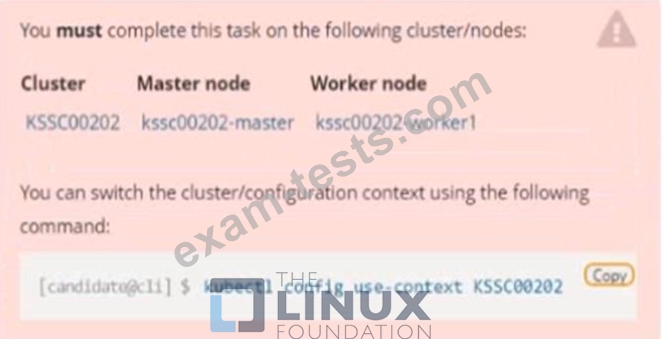
Context
A container image scanner is set up on the cluster, but it's not yet fully integrated into the cluster s configuration. When complete, the container image scanner shall scan for and reject the use of vulnerable images.
Task

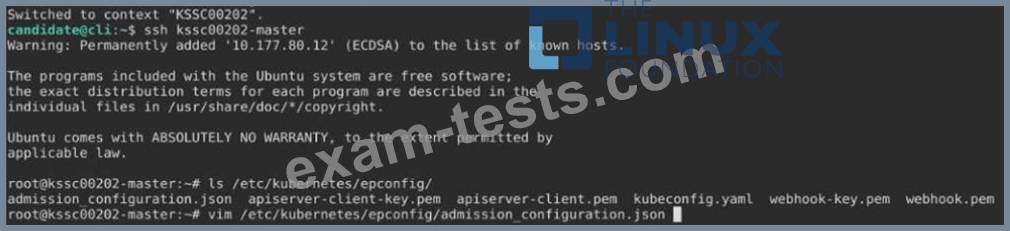
Given an incomplete configuration in directory /etc/kubernetes/epconfig and a functional container image scanner with HTTPS endpoint https://wakanda.local:8081 /image_policy :
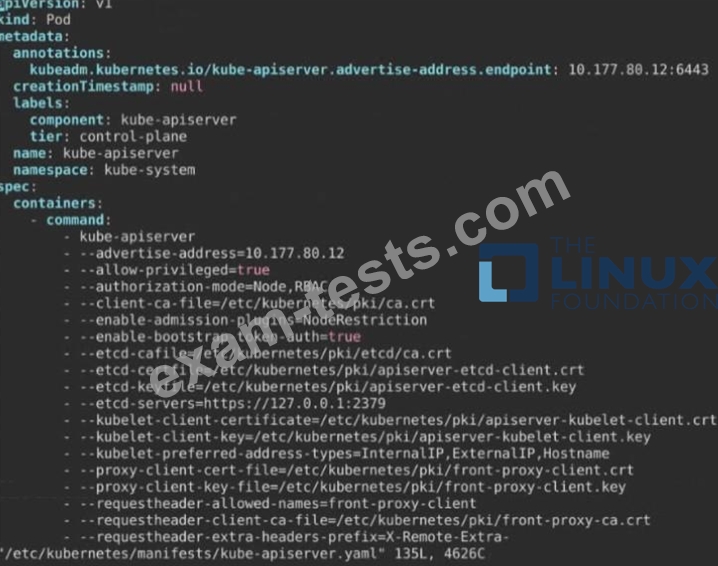
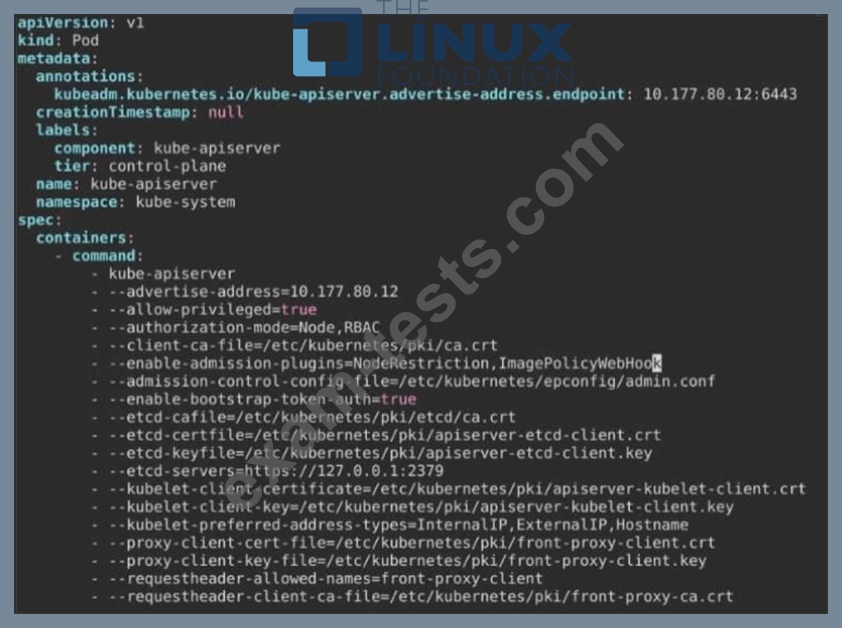
1. Enable the necessary plugins to create an image policy
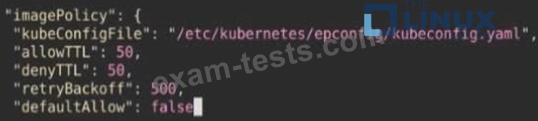
2. Validate the control configuration and change it to an implicit deny
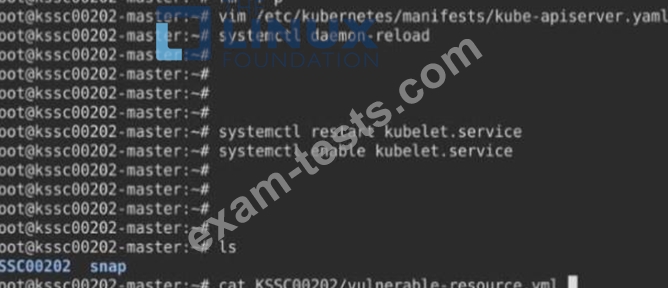
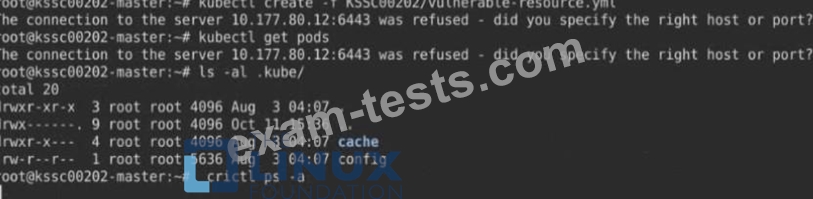
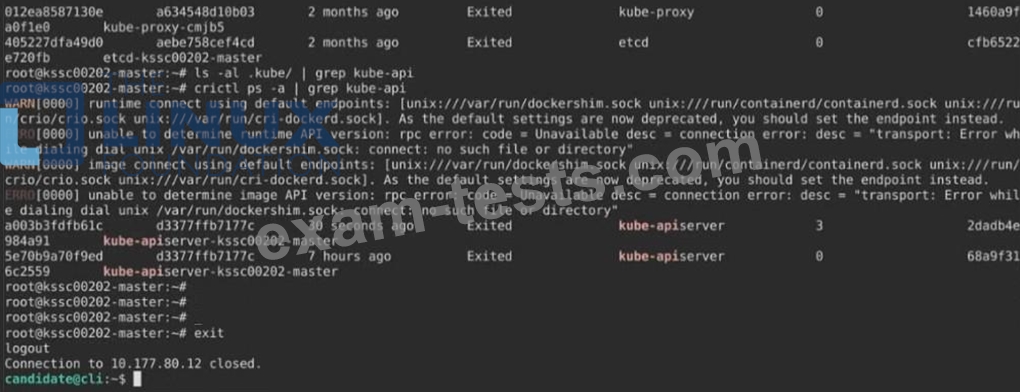
3. Edit the configuration to point to the provided HTTPS endpoint correctly Finally, test if the configuration is working by trying to deploy the vulnerable resource /root/KSSC00202/vulnerable-resource.yml.

Context
A container image scanner is set up on the cluster, but it's not yet fully integrated into the cluster s configuration. When complete, the container image scanner shall scan for and reject the use of vulnerable images.
Task
Given an incomplete configuration in directory /etc/kubernetes/epconfig and a functional container image scanner with HTTPS endpoint https://wakanda.local:8081 /image_policy :
1. Enable the necessary plugins to create an image policy
2. Validate the control configuration and change it to an implicit deny
3. Edit the configuration to point to the provided HTTPS endpoint correctly Finally, test if the configuration is working by trying to deploy the vulnerable resource /root/KSSC00202/vulnerable-resource.yml.





Question 7
Fix all issues via configuration and restart the affected components to ensure the new setting takes effect.
Fix all of the following violations that were found against the API server:- a. Ensure that the RotateKubeletServerCertificate argument is set to true.
b. Ensure that the admission control plugin PodSecurityPolicy is set.
c. Ensure that the --kubelet-certificate-authority argument is set as appropriate.
Fix all of the following violations that were found against the Kubelet:- a. Ensure the --anonymous-auth argument is set to false.
b. Ensure that the --authorization-mode argument is set to Webhook.
Fix all of the following violations that were found against the ETCD:-
a. Ensure that the --auto-tls argument is not set to true
b. Ensure that the --peer-auto-tls argument is not set to true
Hint: Take the use of Tool Kube-Bench
Fix all of the following violations that were found against the API server:- a. Ensure that the RotateKubeletServerCertificate argument is set to true.
b. Ensure that the admission control plugin PodSecurityPolicy is set.
c. Ensure that the --kubelet-certificate-authority argument is set as appropriate.
Fix all of the following violations that were found against the Kubelet:- a. Ensure the --anonymous-auth argument is set to false.
b. Ensure that the --authorization-mode argument is set to Webhook.
Fix all of the following violations that were found against the ETCD:-
a. Ensure that the --auto-tls argument is not set to true
b. Ensure that the --peer-auto-tls argument is not set to true
Hint: Take the use of Tool Kube-Bench
Question 8
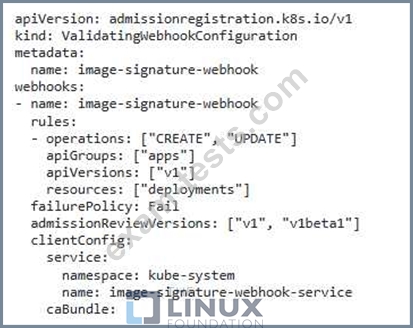
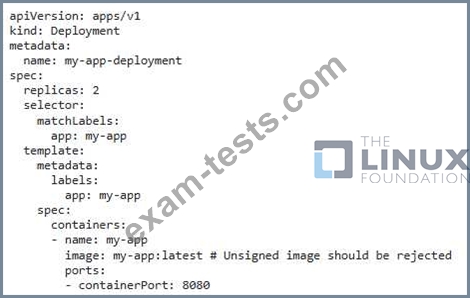
You are deploying a critical application on your Kubernetes cluster. You want to ensure that only certified and trusted container images are allowed to be deployed- How can you implement an Image Signature Verification process to ensure that all images pulled from your Docker registry are signed with a trusted key?
Question 9
SIMULATION
Create a network policy named allow-np, that allows pod in the namespace staging to connect to port 80 of other pods in the same namespace.
Ensure that Network Policy:-
1. Does not allow access to pod not listening on port 80.
2. Does not allow access from Pods, not in namespace staging.
Create a network policy named allow-np, that allows pod in the namespace staging to connect to port 80 of other pods in the same namespace.
Ensure that Network Policy:-
1. Does not allow access to pod not listening on port 80.
2. Does not allow access from Pods, not in namespace staging.
Question 10
SIMULATION
Documentation Deployments, Pods, bom Command Help bom-help
You must connect to the correct host. Failure to do so may result in a zero score.
[candidate@base] $ ssh cks000035
Task
The alpine Deployment in the alpine namespace has three containers that run different versions of the alpine image.
First, find out which version of the alpine image contains the libcrypto3 package at version 3.1.4-r5.
Next, use the pre-installed bom tool to create an SPDX document for the identified image version at /home/candidate/alpine.spdx.
You can find the bom tool documentation at bom.
Finally, update the alpine Deployment and remove the container that uses the idenfied image version.
The Deployment's manifest file can be found at /home/candidate/alpine-deployment.yaml.
Do not modify any other containers of the Deployment.
Documentation Deployments, Pods, bom Command Help bom-help
You must connect to the correct host. Failure to do so may result in a zero score.
[candidate@base] $ ssh cks000035
Task
The alpine Deployment in the alpine namespace has three containers that run different versions of the alpine image.
First, find out which version of the alpine image contains the libcrypto3 package at version 3.1.4-r5.
Next, use the pre-installed bom tool to create an SPDX document for the identified image version at /home/candidate/alpine.spdx.
You can find the bom tool documentation at bom.
Finally, update the alpine Deployment and remove the container that uses the idenfied image version.
The Deployment's manifest file can be found at /home/candidate/alpine-deployment.yaml.
Do not modify any other containers of the Deployment.