

Question 56
You have 100 computers that run Windows 8.1 and are enrolled in Upgrade Readiness.
Two of the computers are configured as shown in the following table.

From Upgrade Readiness, you view the applications shown in the following table.

You enroll a computer named Computer3 in Upgrade Readiness. Computer3 has the following configurations:
8 GB of memory
64-bit architecture
An application named App3 installed
App3 is installed on Computer3 only.
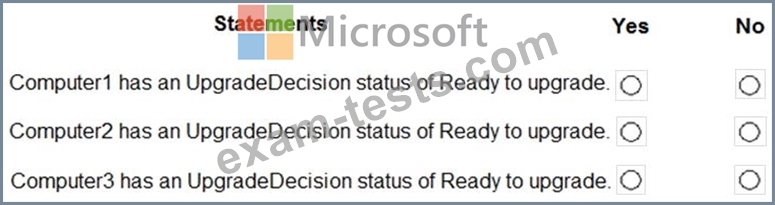
For each of the following statements, select Yes if the statement is true. Otherwise, select No.
NOTE: Each correct selection is worth one point.
Two of the computers are configured as shown in the following table.
From Upgrade Readiness, you view the applications shown in the following table.
You enroll a computer named Computer3 in Upgrade Readiness. Computer3 has the following configurations:
8 GB of memory
64-bit architecture
An application named App3 installed
App3 is installed on Computer3 only.
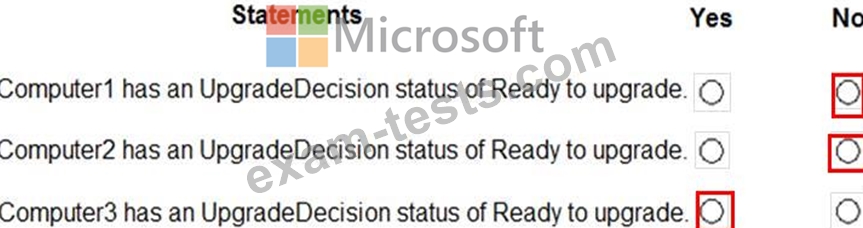
For each of the following statements, select Yes if the statement is true. Otherwise, select No.
NOTE: Each correct selection is worth one point.
Question 57
In Microsoft 365, you configure a data loss prevention (DLP) policy named Policy1. Policy1 detects the sharing of United States (US) bank account numbers in email messages and attachments.
Policy1 is configured as shown in the exhibit. (Click the Exhibit tab.)
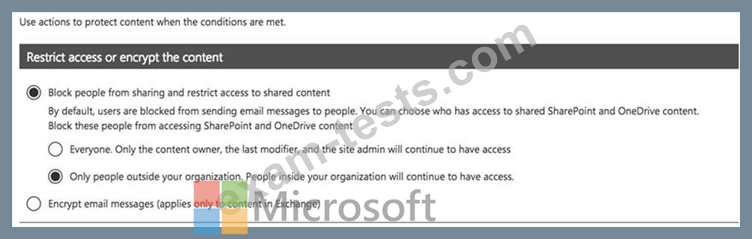
You need to ensure that internal users can email documents that contain US bank account numbers to external users who have an email suffix of contoso.com.
What should you configure?
Policy1 is configured as shown in the exhibit. (Click the Exhibit tab.)
You need to ensure that internal users can email documents that contain US bank account numbers to external users who have an email suffix of contoso.com.
What should you configure?
Question 58
You plan to allow users from the engineering department to enroll their mobile device in mobile device management (MDM).
The device type restrictions are configured as shown in the following table.

The device limit restrictions are configured as shown in the following table.

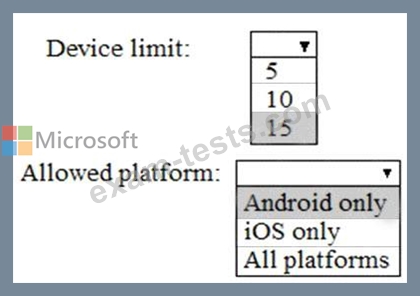
What is the effective configuration for the members of the Engineering group? To answer, select the appropriate options in the answer area.
NOTE: Each correct selection is worth one point.

The device type restrictions are configured as shown in the following table.
The device limit restrictions are configured as shown in the following table.
What is the effective configuration for the members of the Engineering group? To answer, select the appropriate options in the answer area.
NOTE: Each correct selection is worth one point.

Question 59
You have three devices enrolled in Microsoft Intune as shown in the following table.

The device compliance policies in Intune are configured as shown in the following table.

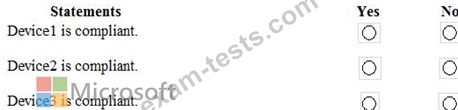
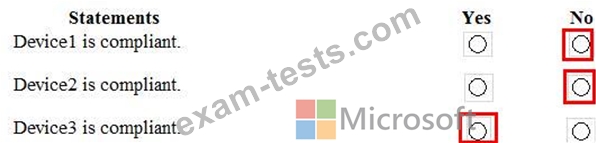
For each of the following statements, select Yes if the statement is true. Otherwise, select No.
NOTE: Each correct selection is worth one point.
The device compliance policies in Intune are configured as shown in the following table.
For each of the following statements, select Yes if the statement is true. Otherwise, select No.
NOTE: Each correct selection is worth one point.
Question 60
You have a Microsoft 365 tenant.
All users are assigned the Enterprise Mobility + Security license.
You need to ensure that when users join their device to Microsoft Azure Active Directory (Azure AD), the device is enrolled in Microsoft Intune automatically.
What should you configure?
All users are assigned the Enterprise Mobility + Security license.
You need to ensure that when users join their device to Microsoft Azure Active Directory (Azure AD), the device is enrolled in Microsoft Intune automatically.
What should you configure?