

Question 16
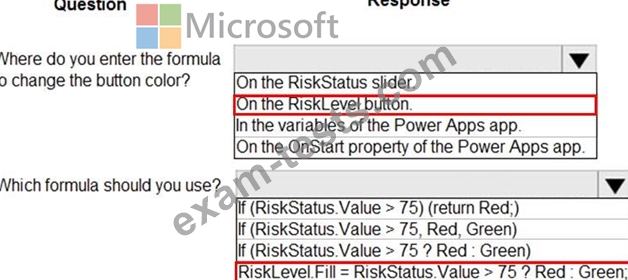
A company is building a Power Apps app to track key project tasks.
Users assign tasks a risk status on a scale of 0 to 100 by using a slider input control named RiskStatus on the app. The highest risks use the risk status value of 100.
For each task, the user selects a button named RiskLevel to send the name of the task and RiskStatus number to key project stakeholders. The color of the button must change to the color listed in the following table based on the value of the RiskStatus control. The default color for the button is green.

You need to configure the solution to change the color of the RiskLevel button.
How should you configure the app? To answer, select the appropriate options in the answer area.
NOTE: Each correct selection is worth one point.

Users assign tasks a risk status on a scale of 0 to 100 by using a slider input control named RiskStatus on the app. The highest risks use the risk status value of 100.
For each task, the user selects a button named RiskLevel to send the name of the task and RiskStatus number to key project stakeholders. The color of the button must change to the color listed in the following table based on the value of the RiskStatus control. The default color for the button is green.
You need to configure the solution to change the color of the RiskLevel button.
How should you configure the app? To answer, select the appropriate options in the answer area.
NOTE: Each correct selection is worth one point.
Question 17
You are designing a canvas app.
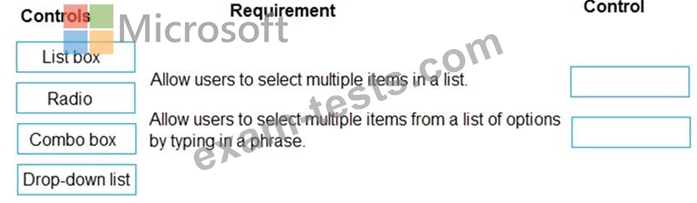
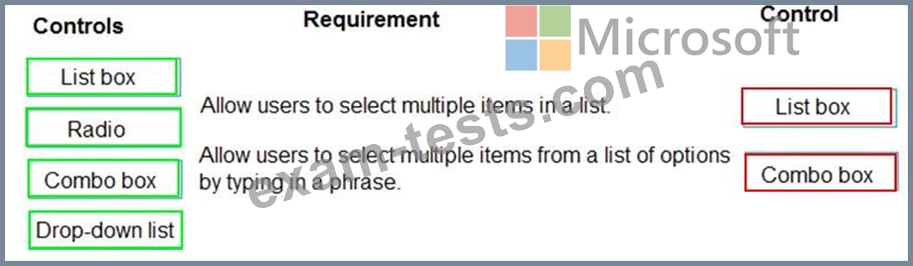
You need to select user interface controls to include in the app.
Which control should you use? To answer, drag the appropriate controls to the correct requirements. Each control may be used once, more than once, or not at all. You may need to drag the split bar between panes or scroll to view content.
NOTE: Each correct selection is worth one point.
You need to select user interface controls to include in the app.
Which control should you use? To answer, drag the appropriate controls to the correct requirements. Each control may be used once, more than once, or not at all. You may need to drag the split bar between panes or scroll to view content.
NOTE: Each correct selection is worth one point.
Question 18
You are creating an app for an organization's human resources (HR) department. You create an Employee entity in an unmanaged Common Data Service solution.
Another user creates the following Power Automate flows separately from the solution:
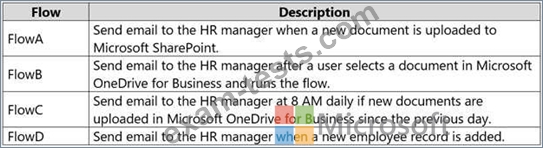
You need to incorporate the flows that can be added to the solution.
Which two flows can you include? Each correct selection presents a complete solution.
NOTE: Each correct selection is worth one point.
Another user creates the following Power Automate flows separately from the solution:
You need to incorporate the flows that can be added to the solution.
Which two flows can you include? Each correct selection presents a complete solution.
NOTE: Each correct selection is worth one point.
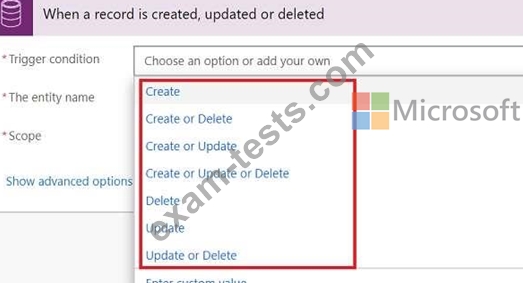
Question 19
You need to create the mobile app.
Which type of app should you create?
Which type of app should you create?
Question 20
A user named Bill Jones creates a canvas app and shares it with other users in his company as shown in SharePowerUsers and ShareJimSmith exhibits. (Click the SharePowerUsers tab and the ShareJimSmith tab.)
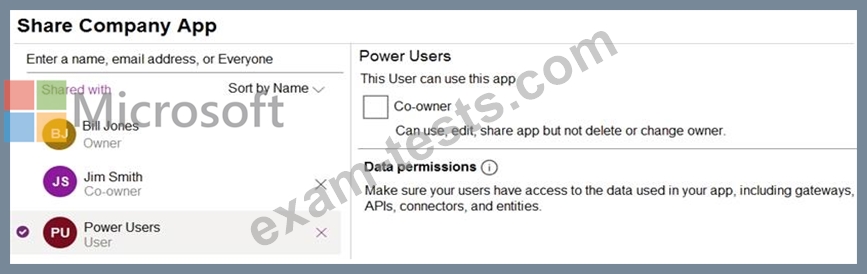
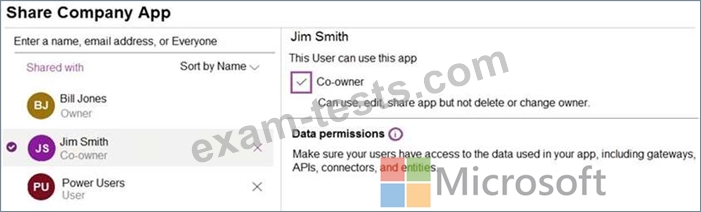
There are multiple versions of the app. Users must only be able to run the most recently published version of the app as shown in the table below:
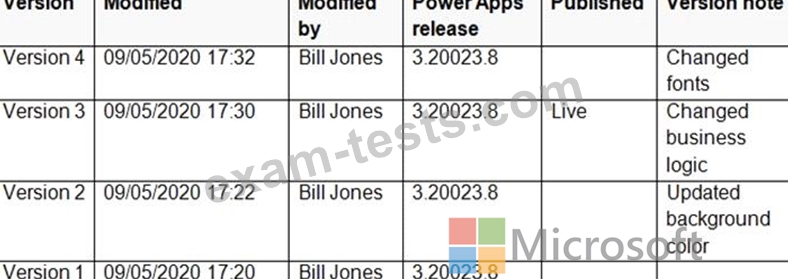
You need to ensure that sharing is configured correctly.
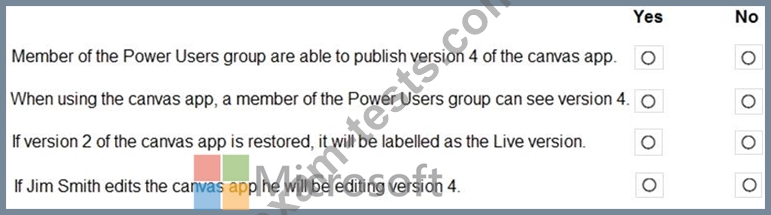
For each of the following statements, select Yes if the statement is true. Otherwise, select No.
NOTE: Each correct selection is worth one point.
There are multiple versions of the app. Users must only be able to run the most recently published version of the app as shown in the table below:
You need to ensure that sharing is configured correctly.
For each of the following statements, select Yes if the statement is true. Otherwise, select No.
NOTE: Each correct selection is worth one point.
