Question 126
You have an Azure Active Directory (Azure AD) tenant that contains three users named User1, User1, and User3, You create a group named Group1. You add User2 and User3 to Group1.
You configure a role in Azure AD Privileged identity Management (PIM) as shown in the application administrator exhibit. (Click the application Administrator tab.)
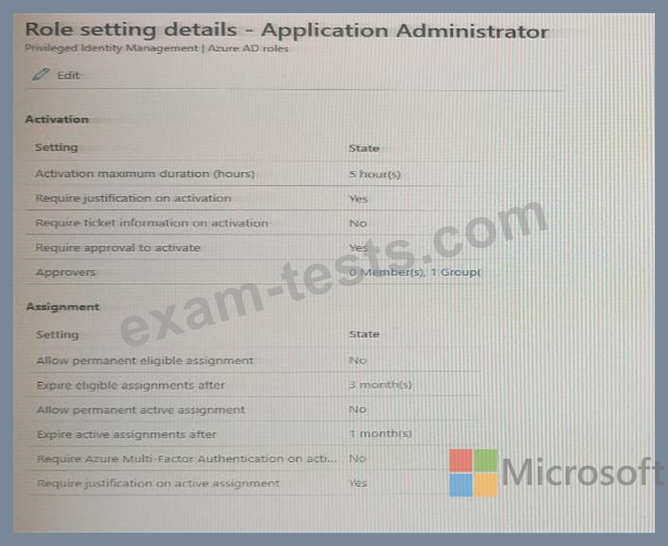
Group1 is configured as the approver for the application administrator role.
You configure User2to be eligible for the application administrator role.
For User1, you add an assignment to the Application administrator role as shown in the Assignment exhibit.
(Click Assignment tab)

For each of the following statement, select Yes if the statement is true, Otherwise, select No.
NOTE: Each correct selection is worth one point.
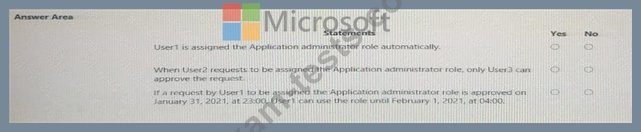
You configure a role in Azure AD Privileged identity Management (PIM) as shown in the application administrator exhibit. (Click the application Administrator tab.)
Group1 is configured as the approver for the application administrator role.
You configure User2to be eligible for the application administrator role.
For User1, you add an assignment to the Application administrator role as shown in the Assignment exhibit.
(Click Assignment tab)
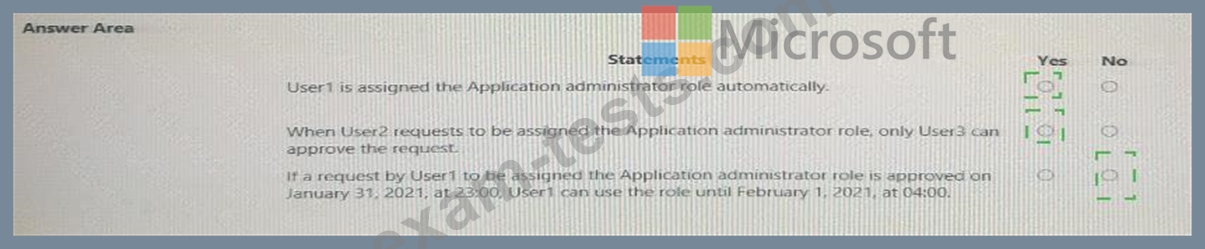
For each of the following statement, select Yes if the statement is true, Otherwise, select No.
NOTE: Each correct selection is worth one point.
Question 127
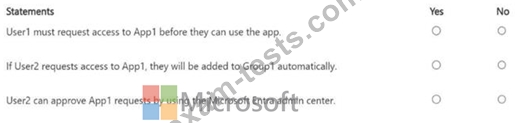
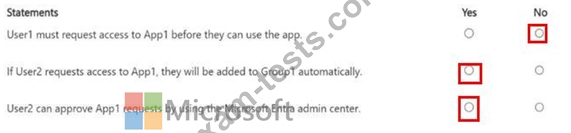
You have a Microsoft Entra tenant that contains a group named Group1 and two users named User1 and User2. User1 is a member of Group1.
You register an enterprise application named App1.
You enable self-service application access for App1 and configure the following settings:
Allow users to request access to this application: Yes
To which group should assigned users be added: Group1
Require approval before granting access to this application: Yes
Who is allowed to approve access to this application: User2
For each of the following statements, select Yes if the statement is true. Otherwise, select No.
You register an enterprise application named App1.
You enable self-service application access for App1 and configure the following settings:
Allow users to request access to this application: Yes
To which group should assigned users be added: Group1
Require approval before granting access to this application: Yes
Who is allowed to approve access to this application: User2
For each of the following statements, select Yes if the statement is true. Otherwise, select No.
Question 128
You need to configure the MFA settings for users who connect from the Boston office. The solution must meet the authentication requirements and the access requirements. What should you configure?
Question 129
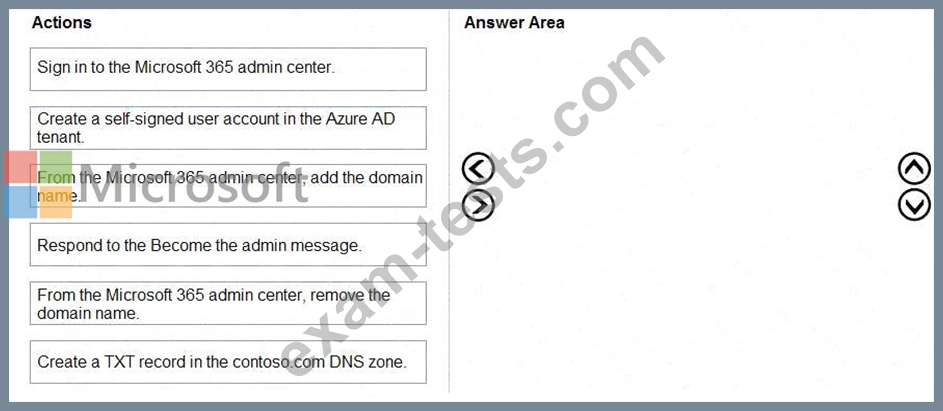
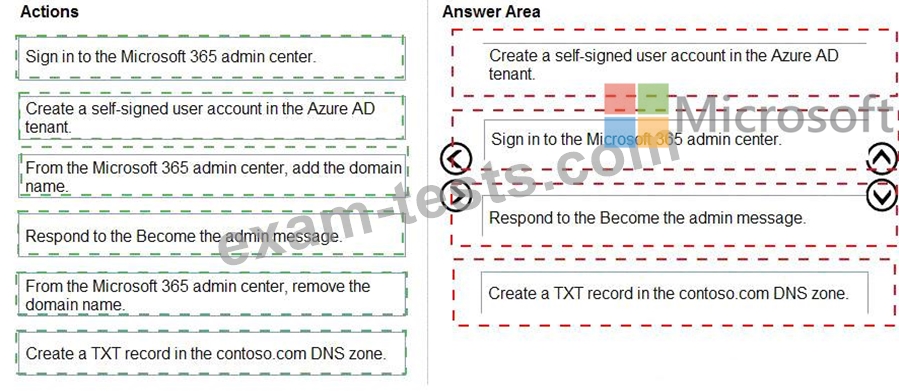
You have an on-premises Microsoft Exchange organization that uses an SMTP address space of contoso.com.
You discover that users use their email address for self-service sign-up to Microsoft 365 services.
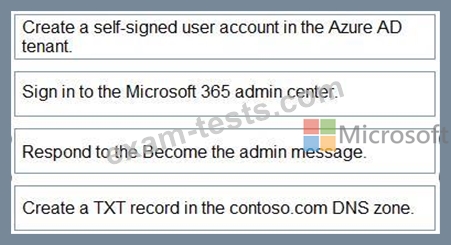
You need to gain global administrator privileges to the Azure Active Directory (Azure AD) tenant that contains the self-signed users.
Which four actions should you perform in sequence? To answer, move the appropriate actions from the list of actions to the answer area and arrange them in the correct order.
You discover that users use their email address for self-service sign-up to Microsoft 365 services.
You need to gain global administrator privileges to the Azure Active Directory (Azure AD) tenant that contains the self-signed users.
Which four actions should you perform in sequence? To answer, move the appropriate actions from the list of actions to the answer area and arrange them in the correct order.
Question 130
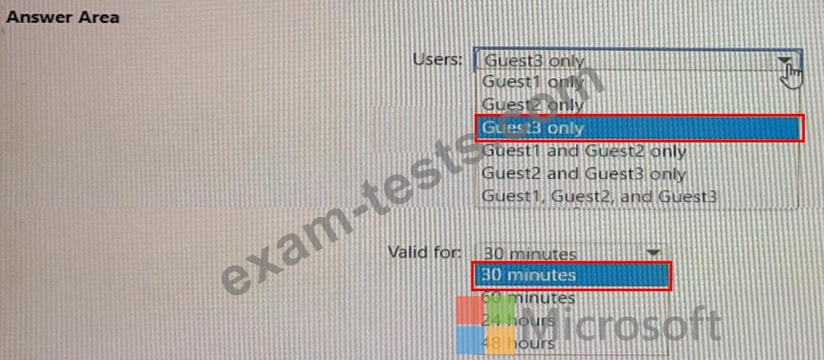
You have an Azure AD tenant named contoso.com that has Email one-time passcode for guests set to Yes.
You invite the guest users shown in the following table.

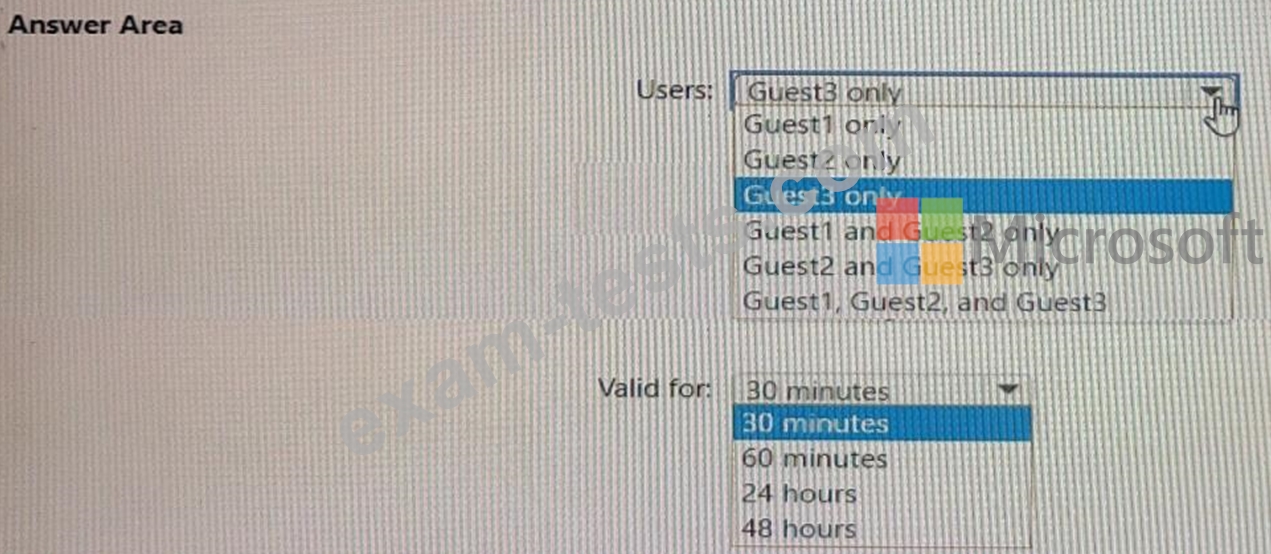
Which users will receive a one-time passcode, and how long will the passcode be valid? To answer, select the appropriate options in the answer area.
NOTE: Each correct selection is worth one point.
You invite the guest users shown in the following table.
Which users will receive a one-time passcode, and how long will the passcode be valid? To answer, select the appropriate options in the answer area.
NOTE: Each correct selection is worth one point.