

Question 61
A bootstrap USB flash drive has been prepared using a Windows workstation to load the initial configuration of a Palo Alto Networks firewall that was previously being used in a lab. The USB flash drive was formatted using file system FAT32 and the initial configuration is stored in a file named init-cfg.txt. The firewall is currently running PAN-OS 10.0 and using a lab config. The contents of init-cgf.txt in the USB flash drive are as follows:
type=dhcp-client
Ip-address=
default-gateway=
netmask=
Ipv6-address=
Ipv6-default-gateway=
hostname=Ca-FW-DC1
panorama-server=10.5.107.20
panorama-server-2=10.5.107.21
tplname=FINANCE_TG4
dgname=finance_dg
dns-primary=10.5.6.6
dns-secondary=10.5.6.7
op-command-modes-multi-vsys.jumbo-frame
dhcp-send-hostname=yes
dhcp-send-client-id=yes
dhcp-accept-server-hostname=yes
dhcp-accept-server-domain=yes
The USB flash drive has been inserted in the firewalls' USB port, and the firewall has been restarted using command> request restart system Upon restart, the firewall fails to begin the bootstrapping process. The failure is caused because:
type=dhcp-client
Ip-address=
default-gateway=
netmask=
Ipv6-address=
Ipv6-default-gateway=
hostname=Ca-FW-DC1
panorama-server=10.5.107.20
panorama-server-2=10.5.107.21
tplname=FINANCE_TG4
dgname=finance_dg
dns-primary=10.5.6.6
dns-secondary=10.5.6.7
op-command-modes-multi-vsys.jumbo-frame
dhcp-send-hostname=yes
dhcp-send-client-id=yes
dhcp-accept-server-hostname=yes
dhcp-accept-server-domain=yes
The USB flash drive has been inserted in the firewalls' USB port, and the firewall has been restarted using command> request restart system Upon restart, the firewall fails to begin the bootstrapping process. The failure is caused because:
Question 62
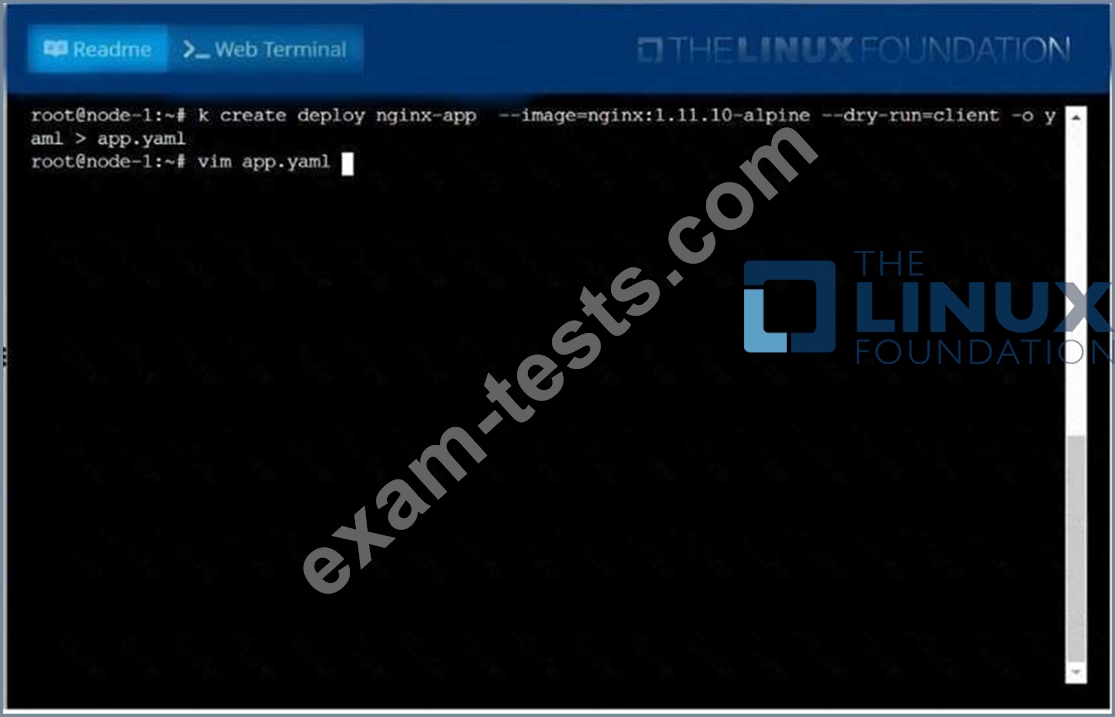
Create a deployment as follows:
* Name: nginx-app
* Using container nginx with version 1.11.10-alpine
* The deployment should contain 3 replicas
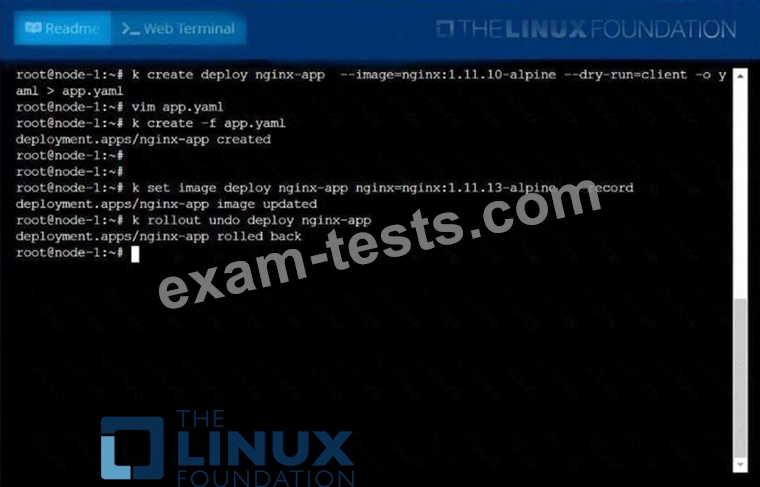
Next, deploy the application with new version 1.11.13-alpine, by performing a rolling update.
Finally, rollback that update to the previous version 1.11.10-alpine.
* Name: nginx-app
* Using container nginx with version 1.11.10-alpine
* The deployment should contain 3 replicas
Next, deploy the application with new version 1.11.13-alpine, by performing a rolling update.
Finally, rollback that update to the previous version 1.11.10-alpine.

Question 63
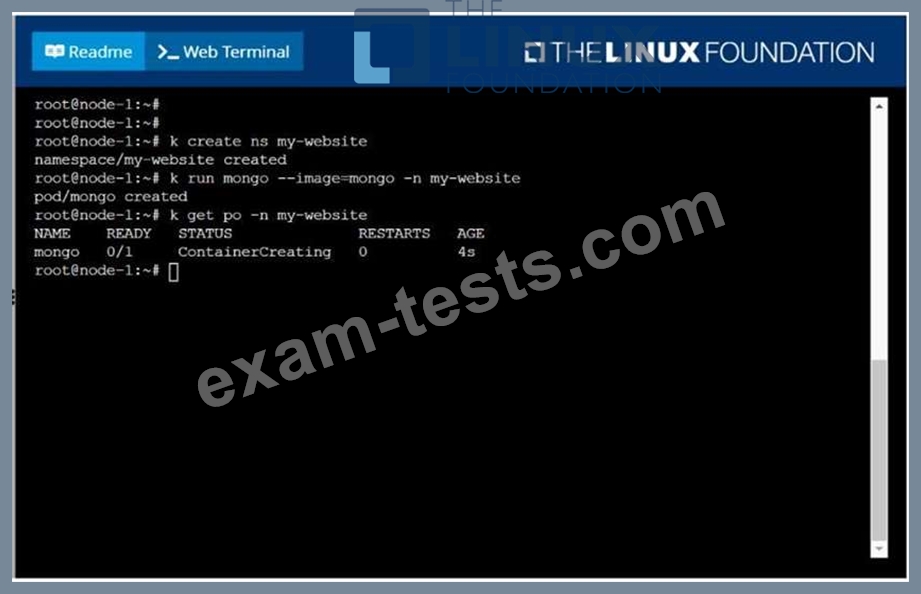
Create a pod as follows:
Name: mongo
Using Image: mongo
In a new Kubernetes namespace named: my-website
Name: mongo
Using Image: mongo
In a new Kubernetes namespace named: my-website
Question 64
How can an administrator configure the NGFW to automatically quarantine a device using Global Protect?
Question 65
Score:7%

Task
Create a new PersistentVolumeClaim
* Name: pv-volume
* Class: csi-hostpath-sc
* Capacity: 10Mi
Create a new Pod which mounts the PersistentVolumeClaim as a volume:
* Name: web-server
* Image: nginx
* Mount path: /usr/share/nginx/html
Configure the new Pod to have ReadWriteOnce
Finally, using kubectl edit or kubectl patch PersistentVolumeClaim to a capacity of 70Mi and record that change.
Task
Create a new PersistentVolumeClaim
* Name: pv-volume
* Class: csi-hostpath-sc
* Capacity: 10Mi
Create a new Pod which mounts the PersistentVolumeClaim as a volume:
* Name: web-server
* Image: nginx
* Mount path: /usr/share/nginx/html
Configure the new Pod to have ReadWriteOnce
Finally, using kubectl edit or kubectl patch PersistentVolumeClaim to a capacity of 70Mi and record that change.