

Question 26
You are building a microservice that requires a specific configuration file to be mounted into the container This configuration file should be updated witnout restarting tne microservice container. How can you achieve this using Kubernetes?


Question 27
You are running a web application with multiple services exposed via Kubernetes Ingress. The application has two distinct environments: 'staging' and 'production' , each with its own set of services and domain names. You need to configure Ingress rules to route traffic to the appropriate services based on the requested hostname and environment. For example, requests to 'staging.example.com' should be directed to the staging environment, while requests to 'example.com' should go to the production environment. Implement this configuration using Ingress rules.


Question 28
You are running a Kubernetes cluster that manages a critical web application. Your application uses a custom resource called 'Database' to represent database instances. You want to ensure that only authorized users within your organization can create and manage these database instances. How would you implement this using ServiceAccounts and Role-Based Access Control (RBAC)?


Question 29
You have a Spring Boot application that requires access to a PostgreSQL database. Implement a sidecar container pattern using a PostgreSQL container within the same pod to provide database access for the application. Ensure tnat tne application can connect to the database through the PostgreSQL container's service name.


Question 30
Context
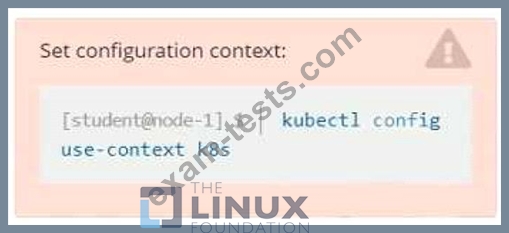
Context
A container within the poller pod is hard-coded to connect the nginxsvc service on port 90 . As this port changes to 5050 an additional container needs to be added to the poller pod which adapts the container to connect to this new port. This should be realized as an ambassador container within the pod.
Task
* Update the nginxsvc service to serve on port 5050.
* Add an HAproxy container named haproxy bound to port 90 to the poller pod and deploy the enhanced pod. Use the image haproxy and inject the configuration located at /opt/KDMC00101/haproxy.cfg, with a ConfigMap named haproxy-config, mounted into the container so that haproxy.cfg is available at /usr/local/etc/haproxy/haproxy.cfg. Ensure that you update the args of the poller container to connect to localhost instead of nginxsvc so that the connection is correctly proxied to the new service endpoint. You must not modify the port of the endpoint in poller's args . The spec file used to create the initial poller pod is available in /opt/KDMC00101/poller.yaml
Context
A container within the poller pod is hard-coded to connect the nginxsvc service on port 90 . As this port changes to 5050 an additional container needs to be added to the poller pod which adapts the container to connect to this new port. This should be realized as an ambassador container within the pod.
Task
* Update the nginxsvc service to serve on port 5050.
* Add an HAproxy container named haproxy bound to port 90 to the poller pod and deploy the enhanced pod. Use the image haproxy and inject the configuration located at /opt/KDMC00101/haproxy.cfg, with a ConfigMap named haproxy-config, mounted into the container so that haproxy.cfg is available at /usr/local/etc/haproxy/haproxy.cfg. Ensure that you update the args of the poller container to connect to localhost instead of nginxsvc so that the connection is correctly proxied to the new service endpoint. You must not modify the port of the endpoint in poller's args . The spec file used to create the initial poller pod is available in /opt/KDMC00101/poller.yaml