Where in the Spark UI can one diagnose a performance problem induced by not leveraging predicate push-down?
Correct Answer: E
Explanation This is the correct answer because it is where in the Spark UI one can diagnose a performance problem induced by not leveraging predicate push-down. Predicate push-down is an optimization technique that allows filtering data at the source before loading it into memory or processing it further. This can improve performance and reduce I/O costs by avoiding reading unnecessary data. To leverage predicate push-down, one should use supported data sources and formats, such as Delta Lake, Parquet, or JDBC, and use filter expressions that can be pushed down to the source. To diagnose a performance problem induced by not leveraging predicate push-down, one can use the Spark UI to access the Query Detail screen, which shows information about a SQL query executed on a Spark cluster. The Query Detail screen includes the Physical Plan, which is the actual plan executed by Spark to perform the query. The Physical Plan shows the physical operators used by Spark, such as Scan, Filter, Project, or Aggregate, and their input and output statistics, such as rows and bytes. By interpreting the Physical Plan, one can see if the filter expressions are pushed down to the source or not, and how much data is read or processed by each operator. Verified References: [Databricks Certified Data Engineer Professional], under "Spark Core" section; Databricks Documentation, under "Predicate pushdown" section; Databricks Documentation, under "Query detail page" section.
Question 62
A Delta Lake table was created with the below query: Realizing that the original query had a typographical error, the below code was executed: ALTER TABLE prod.sales_by_stor RENAME TO prod.sales_by_store Which result will occur after running the second command?
Correct Answer: A
The query uses the CREATE TABLE USING DELTA syntax to create a Delta Lake table from an existing Parquet file stored in DBFS. The query also uses the LOCATION keyword to specify the path to the Parquet file as /mnt/finance_eda_bucket/tx_sales.parquet. By using the LOCATION keyword, the query creates an external table, which is a table that is stored outside of the default warehouse directory and whose metadata is not managed by Databricks. An external table can be created from an existing directory in a cloud storage system, such as DBFS or S3, that contains data files in a supported format, such as Parquet or CSV. The result that will occur after running the second command is that the table reference in the metastore is updated and no data is changed. The metastore is a service that stores metadata about tables, such as their schema, location, properties, and partitions. The metastore allows users to access tables using SQL commands or Spark APIs without knowing their physical location or format. When renaming an external table using the ALTER TABLE RENAME TO command, only the table reference in the metastore is updated with the new name; no data files or directories are moved or changed in the storage system. The table will still point to the same location and use the same format as before. However, if renaming a managed table, which is a table whose metadata and data are both managed by Databricks, both the table reference in the metastore and the data files in the default warehouse directory are moved and renamed accordingly. Verified Reference: [Databricks Certified Data Engineer Professional], under "Delta Lake" section; Databricks Documentation, under "ALTER TABLE RENAME TO" section; Databricks Documentation, under "Metastore" section; Databricks Documentation, under "Managed and external tables" section.
Question 63
The view updates represents an incremental batch of all newly ingested data to be inserted or updated in the customers table. The following logic is used to process these records. Which statement describes this implementation?
Correct Answer: A
The logic uses the MERGE INTO command to merge new records from the view updates into the table customers. The MERGE INTO command takes two arguments: a target table and a source table or view. The command also specifies a condition to match records between the target and the source, and a set of actions to perform when there is a match or not. In this case, the condition is to match records by customer_id, which is the primary key of the customers table. The actions are to update the existing record in the target with the new values from the source, and set the current_flag to false to indicate that the record is no longer current; and to insert a new record in the target with the new values from the source, and set the current_flag to true to indicate that the record is current. This means that old values are maintained but marked as no longer current and new values are inserted, which is the definition of a Type 2 table. Verified References: [Databricks Certified Data Engineer Professional], under "Delta Lake" section; Databricks Documentation, under "Merge Into (Delta Lake on Databricks)" section.
Question 64
Two of the most common data locations on Databricks are the DBFS root storage and external object storage mounted with dbutils.fs.mount(). Which of the following statements is correct?
Correct Answer: A
Explanation DBFS is a file system protocol that allows users to interact with files stored in object storage using syntax and guarantees similar to Unix file systems1. DBFS is not a physical file system, but a layer over the object storage that provides a unified view of data across different data sources1. By default, the DBFS root is accessible to all users in the workspace, and the access to mounted data sources depends on the permissions of the storage account or container2. Mounted storage volumes do not need to have full public read and write permissions, but they do require a valid connection string or access key to be provided when mounting3. Both the DBFS root and mounted storage can be accessed when using %sh in a Databricks notebook, as long as the cluster has FUSE enabled4. The DBFS root does not store files in ephemeral block volumes attached to the driver, but in the object storage associated with the workspace1. Mounted directories will persist saved data to external storage between sessions, unless they are unmounted or deleted3. References: DBFS, Work with files on Azure Databricks, Mounting cloud object storage on Azure Databricks, Access DBFS with FUSE
Question 65
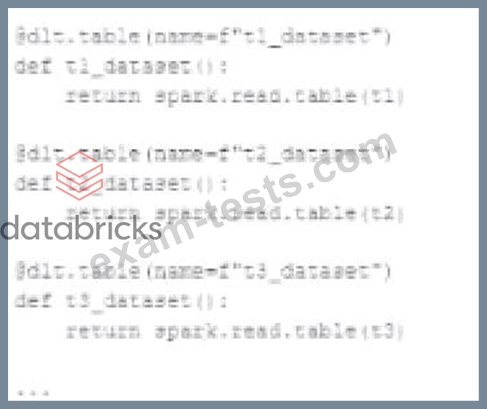
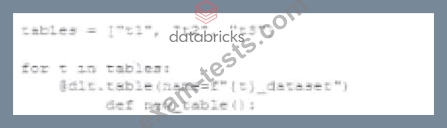
A data engineer wants to reflector the following DLT code, which includes multiple definition with very similar code: In an attempt to programmatically create these tables using a parameterized table definition, the data engineer writes the following code. The pipeline runs an update with this refactored code, but generates a different DAG showing incorrect configuration values for tables. How can the data engineer fix this?
Correct Answer: A
The issue with the refactored code is that it tries to use string interpolation to dynamically create table names within the dlc.table decorator, which will not correctly interpret the table names. Instead, by using a dictionary with table names as keys and their configurations as values, the data engineer can iterate over the dictionary items and use the keys (table names) to properly configure the table settings. This way, the decorator can correctly recognize each table name, and the corresponding configuration settings can be applied appropriately.