

Question 6

Context
You sometimes need to observe a pod's logs, and write those logs to a file for further analysis.
Task
Please complete the following;
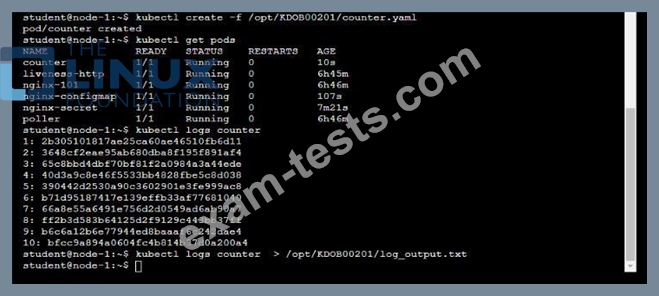
* Deploy the counter pod to the cluster using the provided YAMLspec file at /opt/KDOB00201/counter.yaml
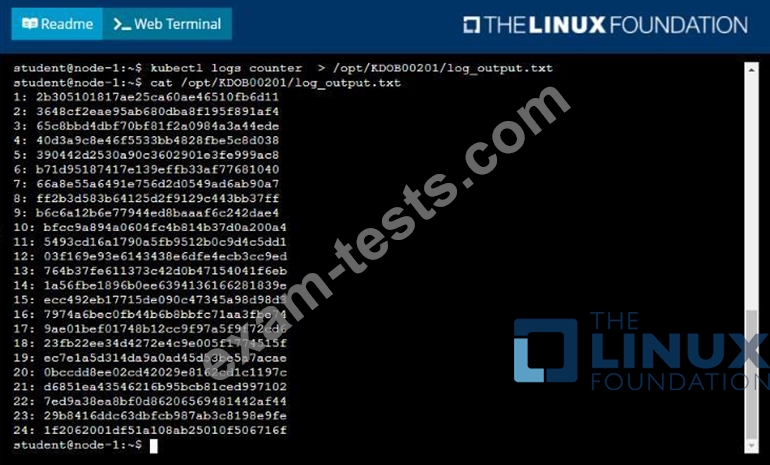
* Retrieve all currently available application logs from the running pod and store them in the file
/opt/KDOB0020l/log_Output.txt, which has already been created

Question 7

Context
It is always useful to look at the resources your applications are consuming in a cluster.
Task
* From the pods running in namespace cpu-stress , write the name only of the pod that is consuming the most CPU to file /opt/KDOBG030l/pod.txt, which has already been created.

Question 8
Refer to Exhibit.

Task:
A Dockerfile has been prepared at -/human-stork/build/Dockerfile
1) Using the prepared Dockerfile, build a container image with the name macque and lag 3.0. You may install and use the tool of your choice.

2) Using the tool of your choice export the built container image in OC-format and store it at -/human stork/macque 3.0 tar
Task:
A Dockerfile has been prepared at -/human-stork/build/Dockerfile
1) Using the prepared Dockerfile, build a container image with the name macque and lag 3.0. You may install and use the tool of your choice.
2) Using the tool of your choice export the built container image in OC-format and store it at -/human stork/macque 3.0 tar


Question 9
Context
Task
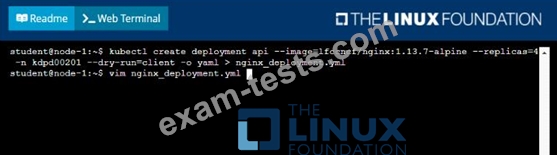
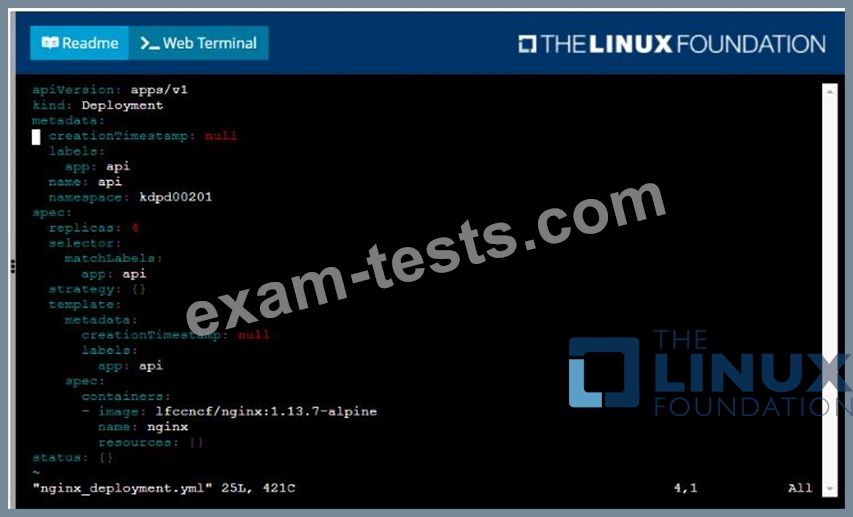
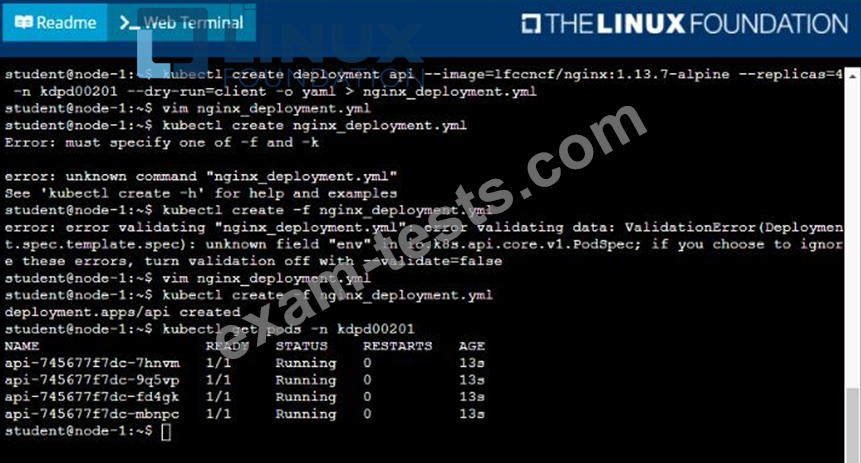
Create a new deployment for running.nginx with the following parameters;
* Run the deployment in the kdpd00201 namespace. The namespace has already been created
* Name the deployment frontend and configure with 4 replicas
* Configure the pod with a container image of lfccncf/nginx:1.13.7
* Set an environment variable of NGINX__PORT=8080 and also expose that port for the container above
Task
Create a new deployment for running.nginx with the following parameters;
* Run the deployment in the kdpd00201 namespace. The namespace has already been created
* Name the deployment frontend and configure with 4 replicas
* Configure the pod with a container image of lfccncf/nginx:1.13.7
* Set an environment variable of NGINX__PORT=8080 and also expose that port for the container above

Question 10

Context
You are asked to prepare a Canary deployment for testing a new application release.
Task:
A Service named krill-Service in the goshark namespace points to 5 pod created by the Deployment named current-krill-deployment

1) Create an identical Deployment named canary-kill-deployment, in the same namespace.
2) Modify the Deployment so that:
-A maximum number of 10 pods run in the goshawk namespace.
-40% of the krill-service 's traffic goes to the canary-krill-deployment pod(s)


