

Question 26
Refer to Exhibit.

Context
You are tasked to create a secret and consume the secret in a pod using environment variables as follow:
Task
* Create a secret named another-secret with a key/value pair; key1/value4
* Start an nginx pod named nginx-secret using container image nginx, and add an environment variable exposing the value of the secret key key 1, using COOL_VARIABLE as the name for the environment variable inside the pod
Context
You are tasked to create a secret and consume the secret in a pod using environment variables as follow:
Task
* Create a secret named another-secret with a key/value pair; key1/value4
* Start an nginx pod named nginx-secret using container image nginx, and add an environment variable exposing the value of the secret key key 1, using COOL_VARIABLE as the name for the environment variable inside the pod


Question 27
Exhibit:
Context
You are tasked to create a ConfigMap and consume the ConfigMap in a pod using a volume mount.
Task
Please complete the following:
* Create a ConfigMap named another-config containing the key/value pair: key4/value3
* start a pod named nginx-configmap containing a single container using the
nginx image, and mount the key you just created into the pod under directory /also/a/path
Context
You are tasked to create a ConfigMap and consume the ConfigMap in a pod using a volume mount.
Task
Please complete the following:
* Create a ConfigMap named another-config containing the key/value pair: key4/value3
* start a pod named nginx-configmap containing a single container using the
nginx image, and mount the key you just created into the pod under directory /also/a/path
Question 28
Refer to Exhibit.

Set Configuration Context:
[student@node-1] $ | kubectl
Config use-context k8s
Context
A web application requires a specific version of redis to be used as a cache.
Task
Create a pod with the following characteristics, and leave it running when complete:
* The pod must run in the web namespace.
The namespace has already been created
* The name of the pod should be cache
* Use the Ifccncf/redis image with the 3.2 tag
* Expose port 6379
Set Configuration Context:
[student@node-1] $ | kubectl
Config use-context k8s
Context
A web application requires a specific version of redis to be used as a cache.
Task
Create a pod with the following characteristics, and leave it running when complete:
* The pod must run in the web namespace.
The namespace has already been created
* The name of the pod should be cache
* Use the Ifccncf/redis image with the 3.2 tag
* Expose port 6379

Question 29
Refer to Exhibit.
Task
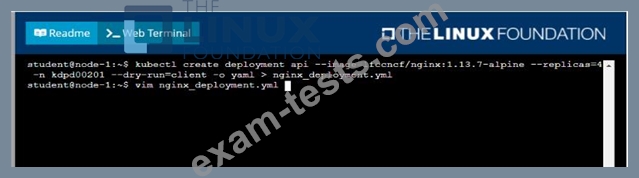
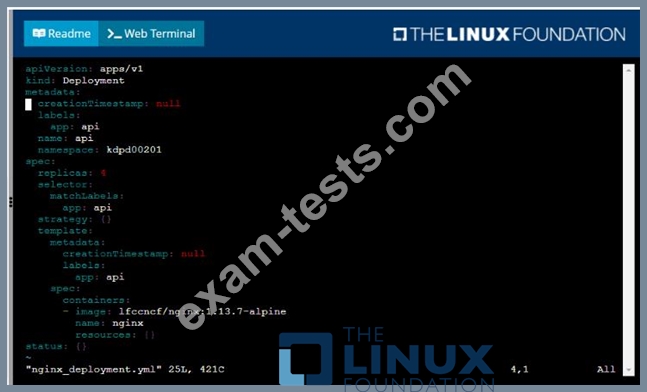
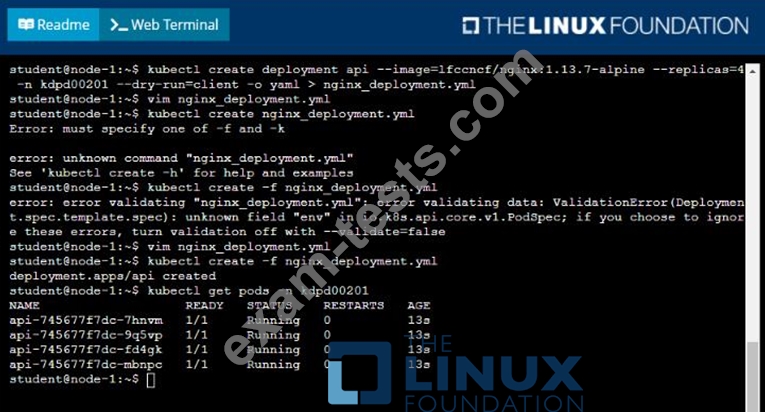
Create a new deployment for running.nginx with the following parameters;
* Run the deployment in the kdpd00201 namespace. The namespace has already been created
* Name the deployment frontend and configure with 4 replicas
* Configure the pod with a container image of lfccncf/nginx:1.13.7
* Set an environment variable of NGINX__PORT=8080 and also expose that port for the container above
Task
Create a new deployment for running.nginx with the following parameters;
* Run the deployment in the kdpd00201 namespace. The namespace has already been created
* Name the deployment frontend and configure with 4 replicas
* Configure the pod with a container image of lfccncf/nginx:1.13.7
* Set an environment variable of NGINX__PORT=8080 and also expose that port for the container above

Question 30
Exhibit:
Context
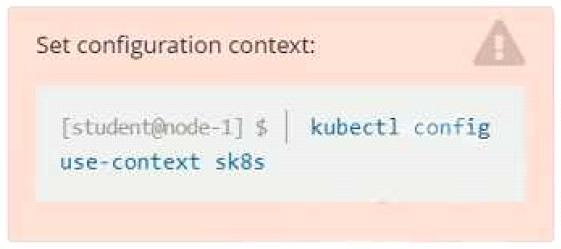
A project that you are working on has a requirement for persistent data to be available.
Task
To facilitate this, perform the following tasks:
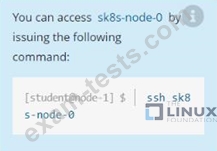
* Create a file on node sk8s-node-0 at /opt/KDSP00101/data/index.html with the content Acct=Finance
* Create a PersistentVolume named task-pv-volume using hostPath and allocate 1Gi to it, specifying that the volume is at /opt/KDSP00101/data on the cluster's node. The configuration should specify the access mode of ReadWriteOnce . It should define the StorageClass name exam for the PersistentVolume , which will be used to bind PersistentVolumeClaim requests to this PersistenetVolume.
* Create a PefsissentVolumeClaim named task-pv-claim that requests a volume of at least 100Mi and specifies an access mode of ReadWriteOnce
* Create a pod that uses the PersistentVolmeClaim as a volume with a label app: my-storage-app mounting the resulting volume to a mountPath /usr/share/nginx/html inside the pod
Context
A project that you are working on has a requirement for persistent data to be available.
Task
To facilitate this, perform the following tasks:
* Create a file on node sk8s-node-0 at /opt/KDSP00101/data/index.html with the content Acct=Finance
* Create a PersistentVolume named task-pv-volume using hostPath and allocate 1Gi to it, specifying that the volume is at /opt/KDSP00101/data on the cluster's node. The configuration should specify the access mode of ReadWriteOnce . It should define the StorageClass name exam for the PersistentVolume , which will be used to bind PersistentVolumeClaim requests to this PersistenetVolume.
* Create a PefsissentVolumeClaim named task-pv-claim that requests a volume of at least 100Mi and specifies an access mode of ReadWriteOnce
* Create a pod that uses the PersistentVolmeClaim as a volume with a label app: my-storage-app mounting the resulting volume to a mountPath /usr/share/nginx/html inside the pod