

Question 71
Which of the following steps in the troubleshooting methodology includes checking logs for recent changes?
Question 72
A company upgrades its network and PCs to gigabit speeds. After the upgrade, users are not getting the expected performance. Technicians discover that the speeds of the endpoint NICs are inconsistent. Which of the following should be checked first to troubleshoot the issue?
Question 73
A virtual machine has the following configuration:
* IPv4 address: 169.254.10.10
* Subnet mask: 255.255.0.0
The virtual machine can reach colocated systems but cannot reach external addresses on the Internet. Which of the following Is most likely the root cause?
* IPv4 address: 169.254.10.10
* Subnet mask: 255.255.0.0
The virtual machine can reach colocated systems but cannot reach external addresses on the Internet. Which of the following Is most likely the root cause?
Question 74
A network administrator needs to assign IP addresses to a newly installed network. They choose 192.168.1.0
/24 as their network address and need to create three subnets with 30 hosts on each subnet. Which of the following is a valid subnet mask that will meet the requirements?
/24 as their network address and need to create three subnets with 30 hosts on each subnet. Which of the following is a valid subnet mask that will meet the requirements?
Question 75
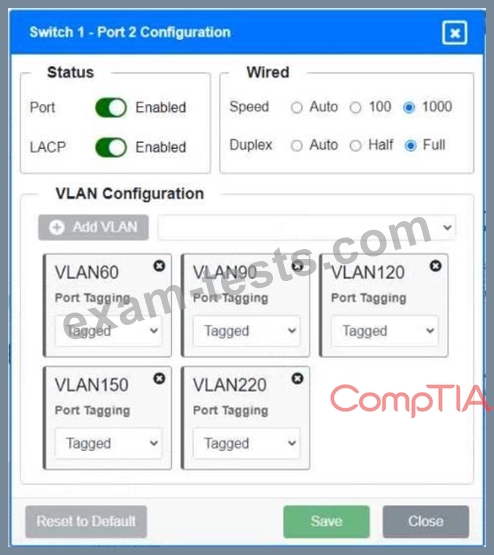
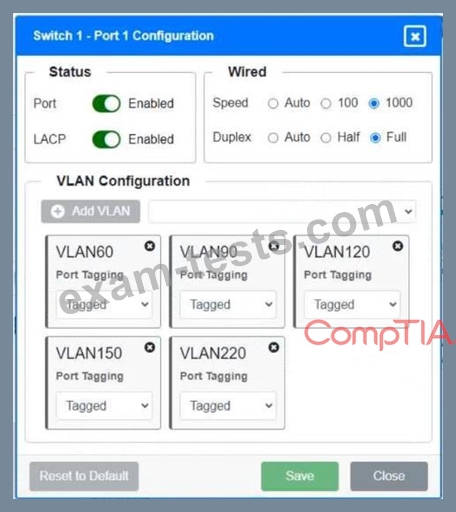
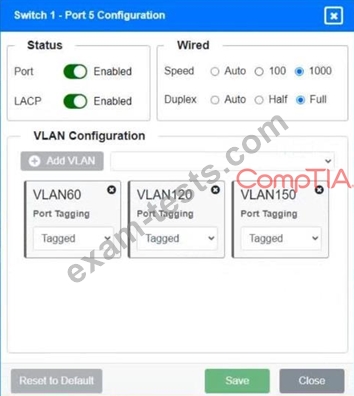
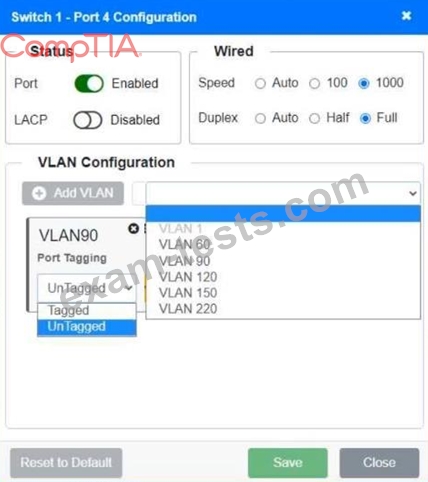
SIMULATION
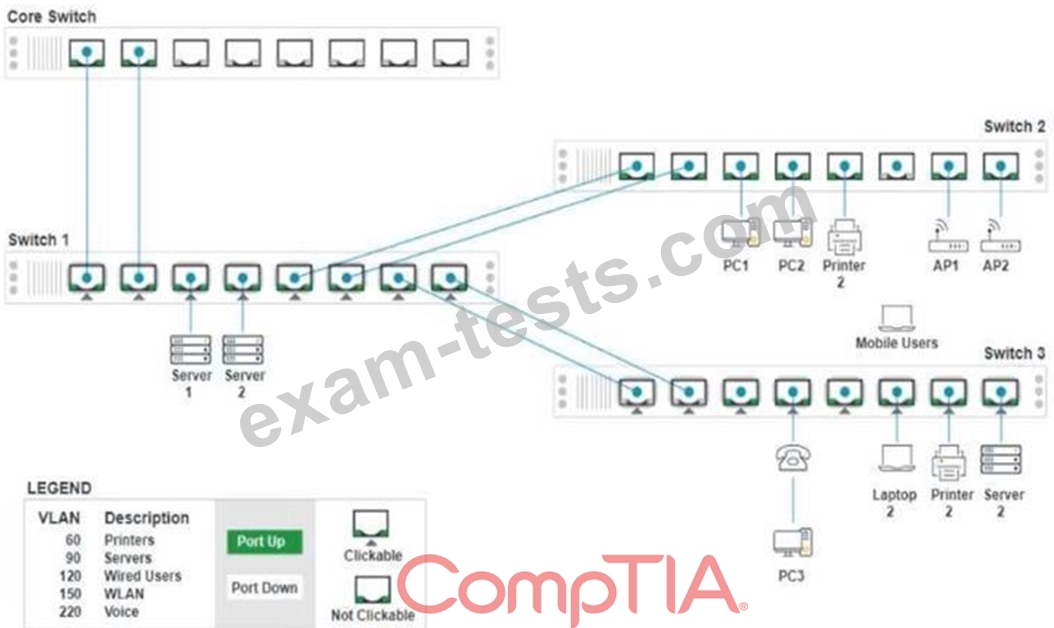
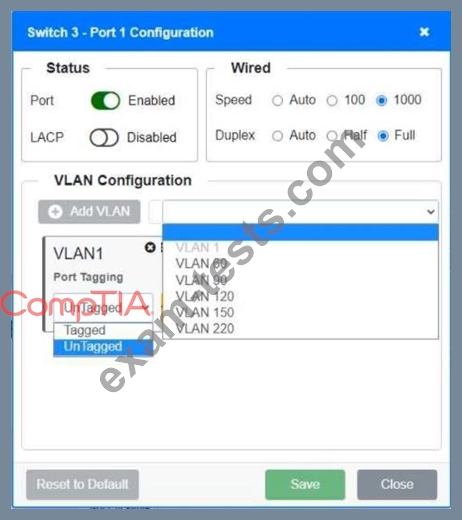
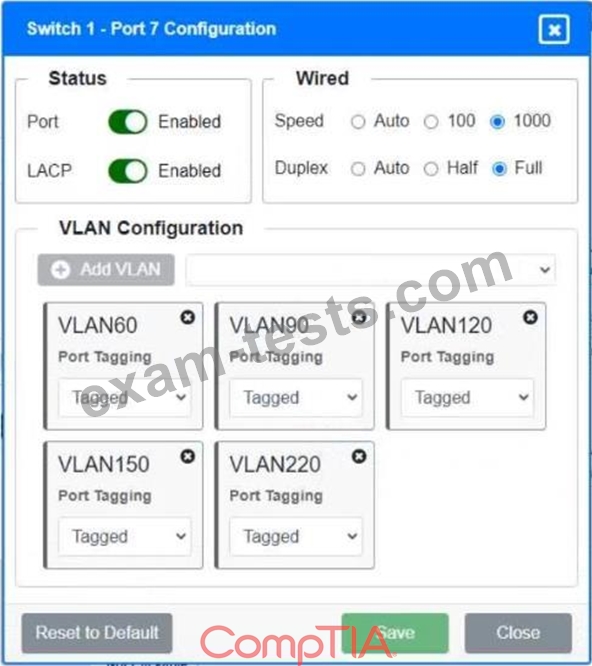
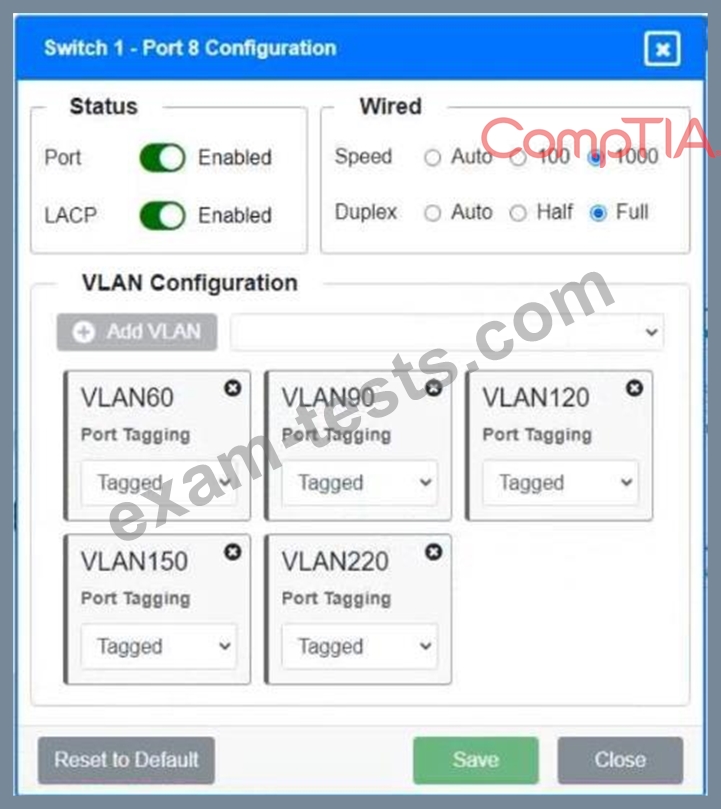
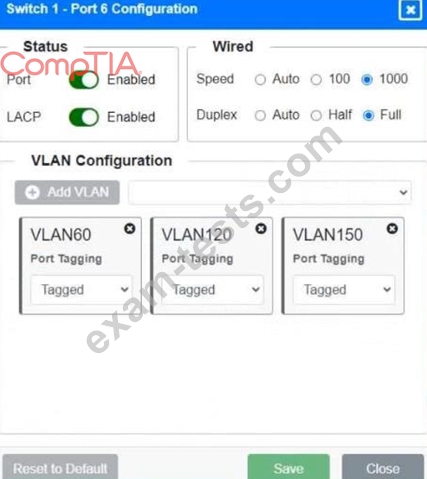
A network technician replaced a switch and needs to reconfigure it to allow the connected devices to connect to the correct networks.
INSTRUCTIONS
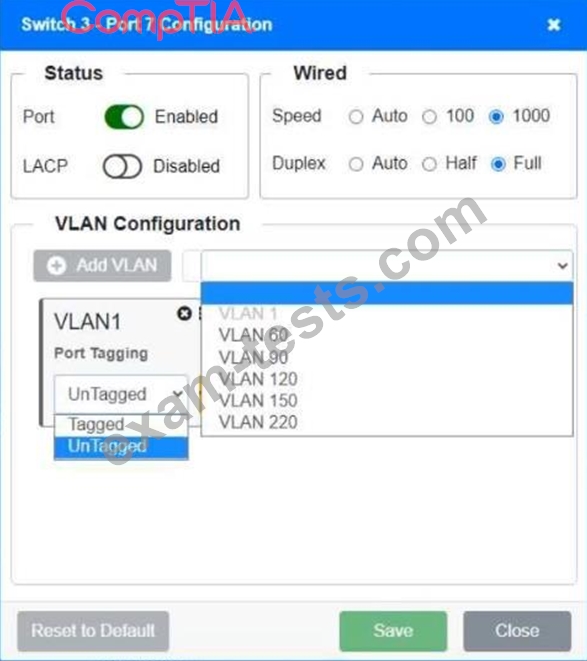
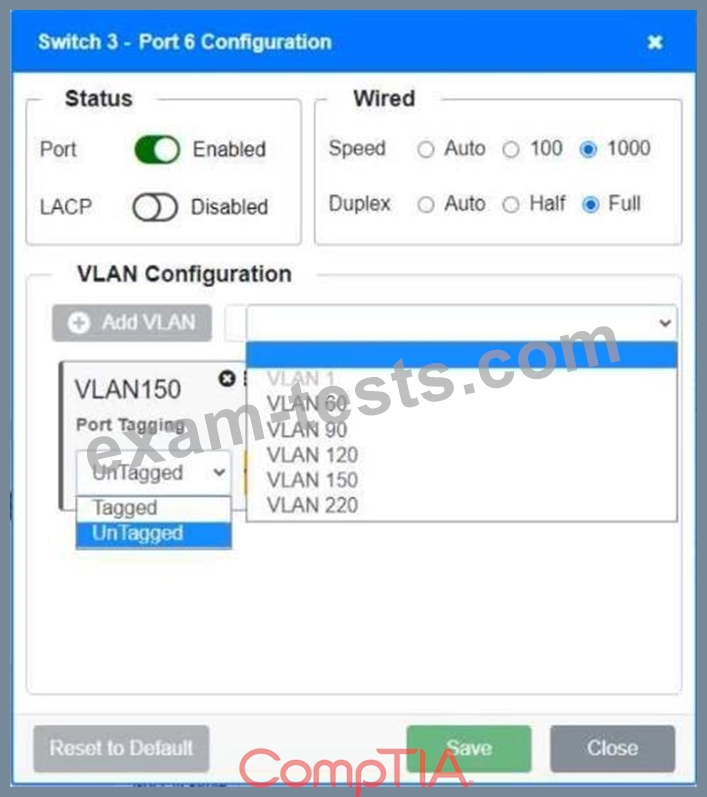
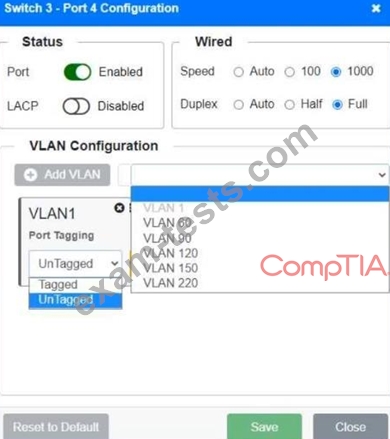
Click on the appropriate port(s) on Switch 1 and Switch 3 to verify or reconfigure the correct settings:
- Ensure each device accesses only its correctly associated network
- Disable all unused switch ports
- Require fault-tolerant connections between the switches
- Only make necessary changes to complete the above requirements
If at any time you would like to bring back the initial state of the simulation, please click the Reset All button.

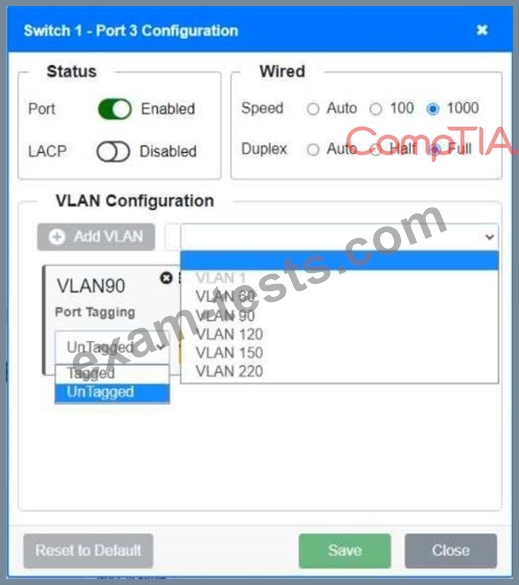
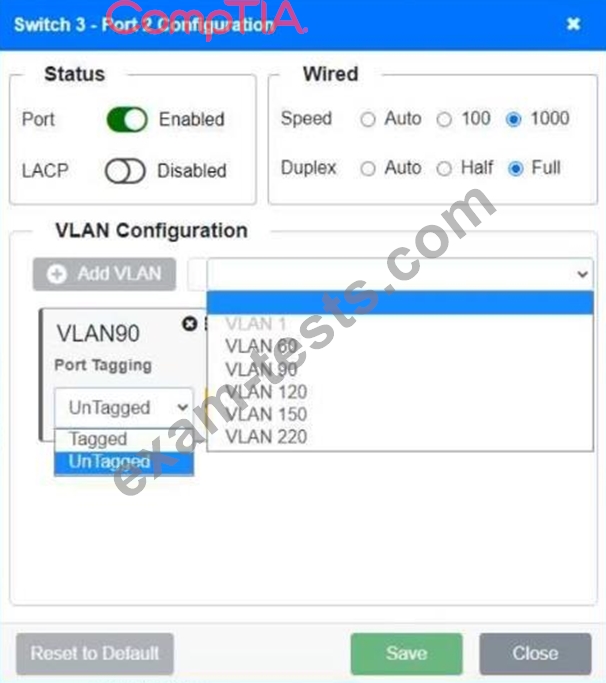
A network technician replaced a switch and needs to reconfigure it to allow the connected devices to connect to the correct networks.
INSTRUCTIONS
Click on the appropriate port(s) on Switch 1 and Switch 3 to verify or reconfigure the correct settings:
- Ensure each device accesses only its correctly associated network
- Disable all unused switch ports
- Require fault-tolerant connections between the switches
- Only make necessary changes to complete the above requirements
If at any time you would like to bring back the initial state of the simulation, please click the Reset All button.